Your password isn’t enough these days. A single leak from an old website you might not even remember signing up for could be devastating. If your password is all that’s protecting your email, your crypto wallet, your brokerage account, or your bank account, you are extremely vulnerable to hacks. Cybersecurity experts strongly recommend users to always enable two-factor authentication (2FA) whenever possible to keep your accounts safe and secure.
Two-factor authentication adds an essential extra layer of security, like a second lock on your door. Even if someone steals your password, they can’t get in without your second factor.
Let’s see how 2FA works and why you should use it to secure your accounts.
What Is 2FA?
Two-factor authentication (2FA) is an important security method that requires you to verify your identity using two different types of authentication. There are three main types of proof that can be combined:
- Something you know, like a password
- Something you have, like a code on your phone or a hardware key
- Something you are, like a fingerprint or face scan
The second factor makes it much harder for attackers to log in, even if they have access to your username and password.
Some examples of two-factor authentication include:
- A 6-digit code sent via text or email
- A code from an authenticator app like Google Authenticator or Authy
- A hardware security key like YubiKey
- A fingerprint or face scan
Many platforms like Google and Apple, as well as banks, and crypto exchanges like Binance, recommend or make this mandatory because it makes your accounts drastically more secure.
Why Is 2FA Important?
Passwords are easy to mess up. Most of us reuse the same password across multiple different websites, even though login credentials get leaked all the time. There are tons of large databases all over the dark web and the internet in general that are chock-full of old usernames and passwords. That’s why it’s extremely important to use different passwords for each account, even though it makes it harder to remember them.
People often make their passwords simple, too. They use personal data that hackers can easily get access to, like their birthday or their children’s names. Most people know that this isn’t secure, but they do it anyway because it’s easy and they don’t expect hackers to go after their accounts.
2FA adds an extra layer of security that makes it vastly more difficult for hackers to gain access to your accounts. Even the strongest password can be phished or leaked in data breaches. Without this second factor, a stolen password is useless to the criminal.
According to Microsoft, using multi-factor authentication (MFA, which includes two-factor authentication) blocks over 99.9% of automated attacks.
This makes it one of the easiest and most effective security upgrades you can make to protect yourself from banking and crypto scams.
Why 2FA is Necessary
There are many ways your password can be stolen, including:
- Phishing attacks: Fake emails or sites trick you into entering your login credentials.
- SIM-swapping: Attackers take over your phone number and intercept text messages.
- Keyloggers: Malware records what you type.
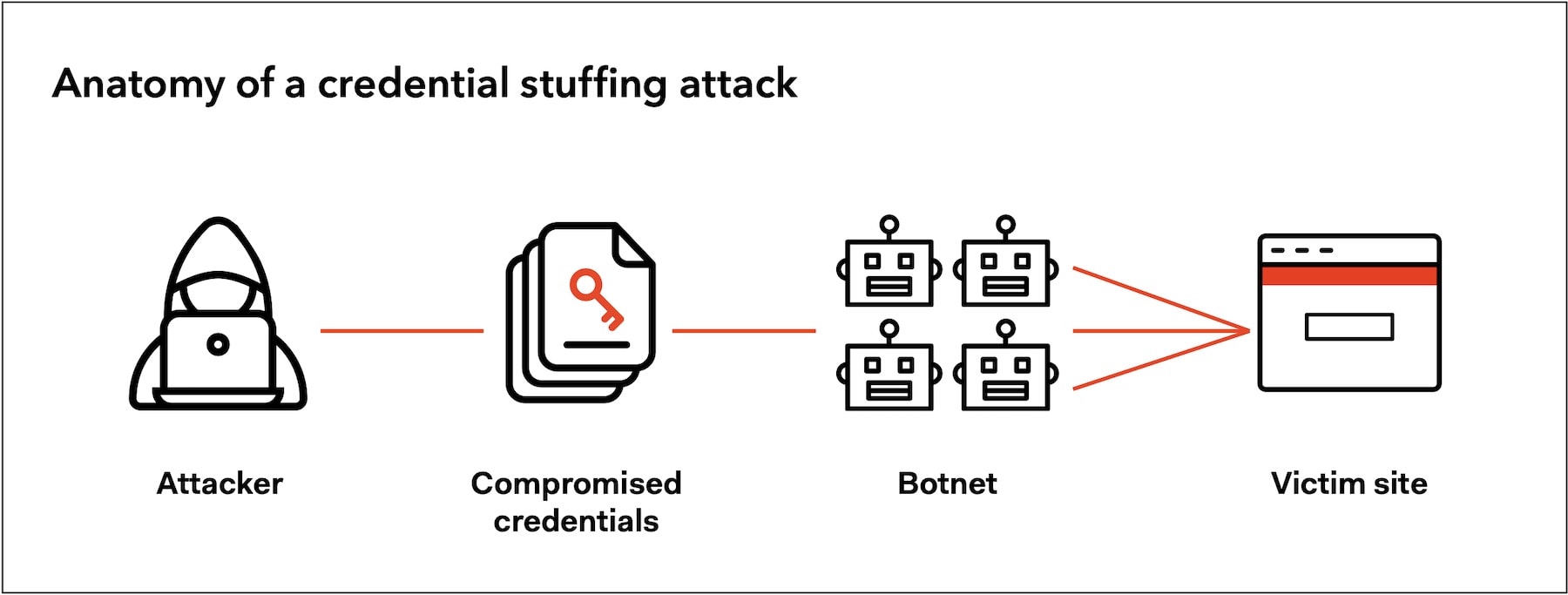
- Credential stuffing: Hackers use leaked passwords from other breaches to try logging into different accounts.
With 2FA, even if someone gets access to your password, they won’t get in unless they have your second factor.
Types of 2FA
There are four main types of two-factor authentication. Let’s take a look at each one.
1. SMS or Email Codes
In this case, you get a 6-digit code sent to your phone or inbox. It is easy to use, but comes with slightly more risk than other 2FA methods due to the risks of SIM swaps and intercepted messages. Nevertheless, adding SMS or email 2FA still makes your accounts much more secure.
2. Authenticator Apps (TOTP)
Apps like Google Authenticator, Authy, or Microsoft Authenticator generate new codes every 30 seconds. The verification codes work offline and aren’t tied to your phone number, which makes them generally safer compared to SMS.
3. Hardware Keys (U2F/FIDO2)
These are offline physical devices like YubiKeys and SoloKeys. You plug the physical device into your computer or tap it on your mobile device. They are immune to phishing attacks and are considered one of the most secure methods.
4. Biometric Factors
Biometric factors include fingerprints, face recognition, and voice ID. They are fast and convenient, but usually work only on the mobile device they are set up on. They are best combined with other methods.
Pros and Cons of 2FA Methods
Let’s compare these four types of two-factor authentication now:
| Method | Pros | Cons |
| SMS/Email Codes | Easy to use | Vulnerable to SIM-swap or interception |
| Authenticator Apps | Secure, offline | Needs setup and backup |
| Hardware Keys | Most secure, phishing-resistant | Costs money, can be lost |
| Biometric Factors | Fast, no typing needed | Device-specific, privacy concerns |
Best Practices for 2FA
Two-factor authentication is a strong defense, but it isn’t perfect if you don’t know how to use it wisely. Poor 2FA habits can still leave your account vulnerable. Here is how to get it right:
If Possible, Avoid SMS-based 2FA
Text messages are better than having no multi-factor authentication at all, but they are not as secure as other types. SIM swapping is a major threat. Attackers can hijack your phone number by tricking your mobile provider.
Instead, use app-based options like:
- Authy or Google Authenticator (TOTP apps)
- 1Password, which has built-in TOTP generation
- Hardware tokens, which offer phishing-resistant protection
Back Up Your 2FA Codes and Secrets
If you lose access to your phone or your app, you could be locked out for good, depending on what recovery options the platform offers. This is why it’s important to back up your 2FA codes and info. Here’s how you can prepare yourself:
- Save the original QR seed or setup key when you add a new 2FA token
- Store it in a secure location: a password manager, or even an encrypted external drive
Some apps like Authy allow secure cloud backup, but always weigh the trade-off between convenience and attack surface.
Never, Ever Reuse Your Passwords
If a website is breached, attackers will surely try your credentials elsewhere. This is called credential stuffing.
Here is how you can fix this:
- Use a trusted password manager like Bitwarden, 1Password, or KeePassXC
- Generate unique, long, and complex passwords for every account you use
- Let the manager auto-fill to avoid phishing
Enable 2FA on Every Critical Account
Start with the most sensitive services, including your email accounts, crypto exchange accounts, cloud storage, social media accounts, etc.
Prioritize your email since password resets usually go there. If someone owns your inbox, they most likely own everything tied to it.
Watch Out for MFA Fatigue Attacks
Hackers are getting sneakier than ever. They will flood your phone with 2FA prompts, hoping you’ll get annoyed and approve one. This isn’t just a theoretical attack vector either. It actually happened during the Uber hack of 2022, where an employee eventually accepted a request just to stop the noise.
How to Keep Your Crypto Exchange Account Safe with 2FA
Cryptocurrency offers freedom and direct control over your funds, but with that freedom comes risk. Unlike traditional banking, crypto has no chargebacks or easy refunds. If the user’s password has been hacked, and the hacker managed to gain unauthorized access to their account, there is simply no way to get it back.
In crypto, there is no customer service to reverse a transaction or government protection if your coins vanish. Protecting your exchange accounts and crypto wallets isn’t optional – it is essential.
Why Crypto Needs Extra Protection
In traditional finance, fraud is frustrating, but in many cases, it is reversible. With crypto, in most cases, it is permanent. This makes your security setup the only real defense you have.
In 2023 alone, scammers and hackers stole $1.7 billion in crypto, according to the Internet Crime Report by the FBI. The attacks today are even more sophisticated compared to then. The FBI’s 2024 Internet Crime Complaint Center report shares a major increase in crypto-related fraud losses during the first quarter of 2025, with $9.3 billion lost in cryptocurrency fraud.
Even the biggest, heavily regulated exchanges remain vulnerable. The Japanese exchange DMM Bitcoin suffered a significant breach in May 2024, resulting in the theft of over 4,500 BTC, valued at around $305 million at the time. On February 21, 2025, Bybit also fell victim to a massive hack, resulting in the theft of around $1.5 billion worth of Ethereum. The risk of exchange hacks like these is why cybersecurity experts suggest that investors store their coins in their own personal crypto wallet.
While you cannot fully protect yourself or anticipate every problem and every hack, many successful hacks today don’t rely on zero-day exploits or are massive infrastructure attacks. Instead, many hacks exploit human weaknesses, like reused passwords, phishing emails, poor device hygiene, and weak authentication.
Best Practices to Secure Your Crypto Exchange Account and Wallet
With crypto thefts on the rise and no way to reverse transactions once they are executed, securing your exchange account is more important than ever. In a decentralized world, you are your own bank. Your poor security choices can lead to permanent losses.
Here is how to secure your crypto assets step by step.
1. Use Strong Passwords and a Password Manager
First, secure your primary authentication factor: your password.
- Create long, complex, and unique passwords for every exchange you use.
- Avoid reusing passwords across exchange accounts.
- Use a secure password manager like Bitwarden or 1Password to generate and store your credentials.
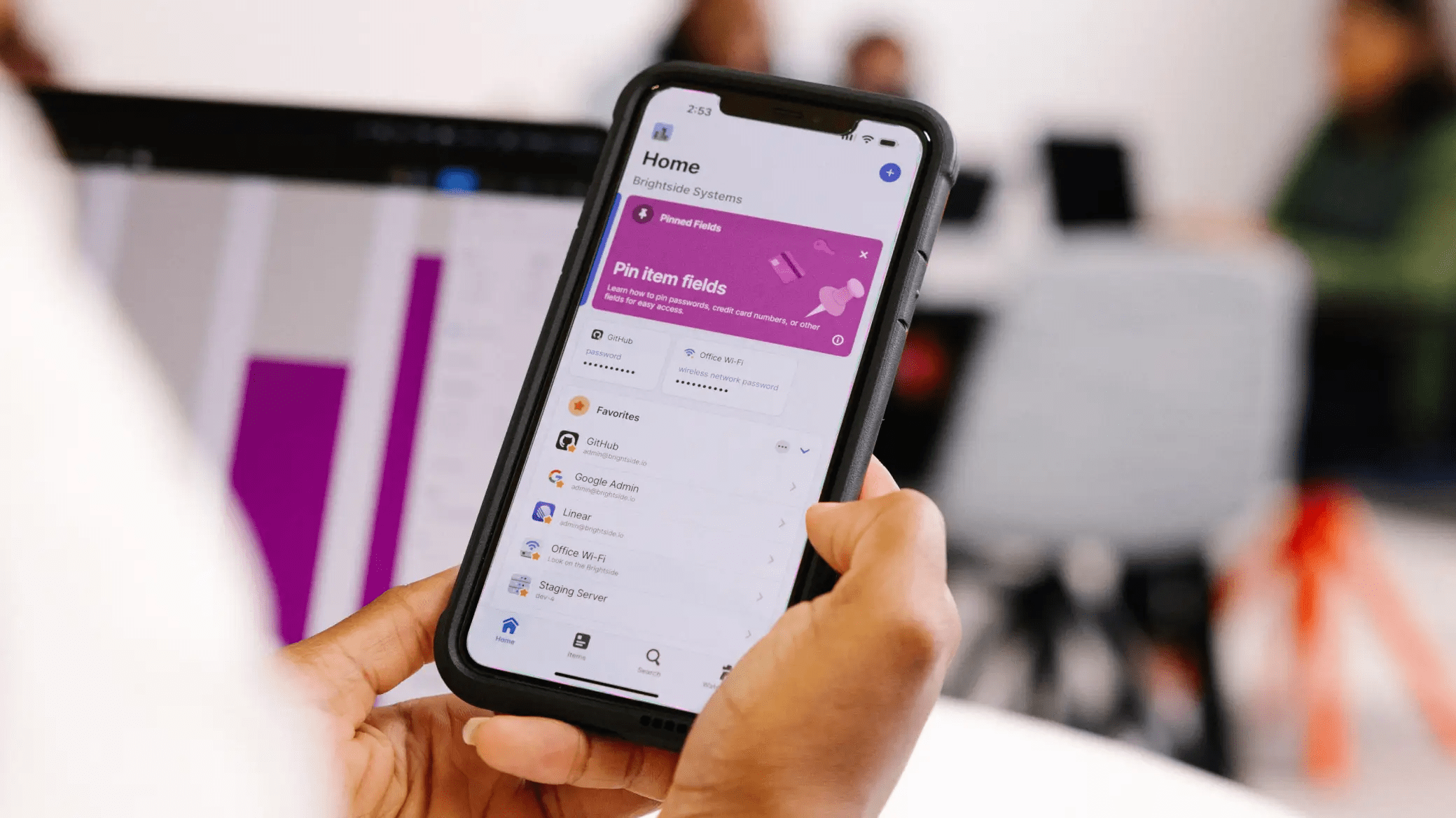
Hackers often use old data breaches to run credential stuffing attacks on crypto platforms. A password manager will eliminate this risk, though it is important to choose a secure manager that either stores your passwords offline or uses trusted encryption methods to keep them safe.
2. Choose the Right Authentication Method: App-Based or Hardware
Not all authentication factors are equally secure. SMS-based 2FA is outdated and vulnerable to SIM-swapping and man-in-the-middle attacks. Instead, opt for:
- Offline app-based authentication using tools like Microsoft Authenticator
- Hardware-based 2FA, such as YubiKey, which acts as a possession factor.
3. Back Up Your 2FA Codes and Recovery Keys
Without access to your authenticator app, you could be permanently locked out of your account.
- Save QR seeds or recovery codes securely.
- Avoid cloud storage or screenshots saved on your mobile phone.
4. Don’t Fall for Push Notification Fatigue
A growing tactic in recent years is MFA push notification abuse. Hackers flood you with approval requests, hoping you mistakenly tap “approve.”
- Never approve unexpected or unexplained login attempts.
- Use hardware 2FA or app-based tokens that don’t rely on push approvals.
If the exchange you are using only offers push notifications, be very cautious. If better options are available, you may want to switch to a different platform.
5. Keep Your Devices Secure and Updated
Your wallet is only as secure as the mobile device it lives on.
- Always update your operating system, browsers, and apps.
- Use antivirus and malware detection tools.
- Don’t root or jailbreak your mobile phone, as this disables key security protections.
6. Use the Exchange’s Security Features
Most reputable exchanges now come with additional security features. Use them.
- Transaction alerts: get immediate email or SMS notifications for logins, withdrawals, or changes.
- IP and device whitelisting: limit access to trusted devices and locations.
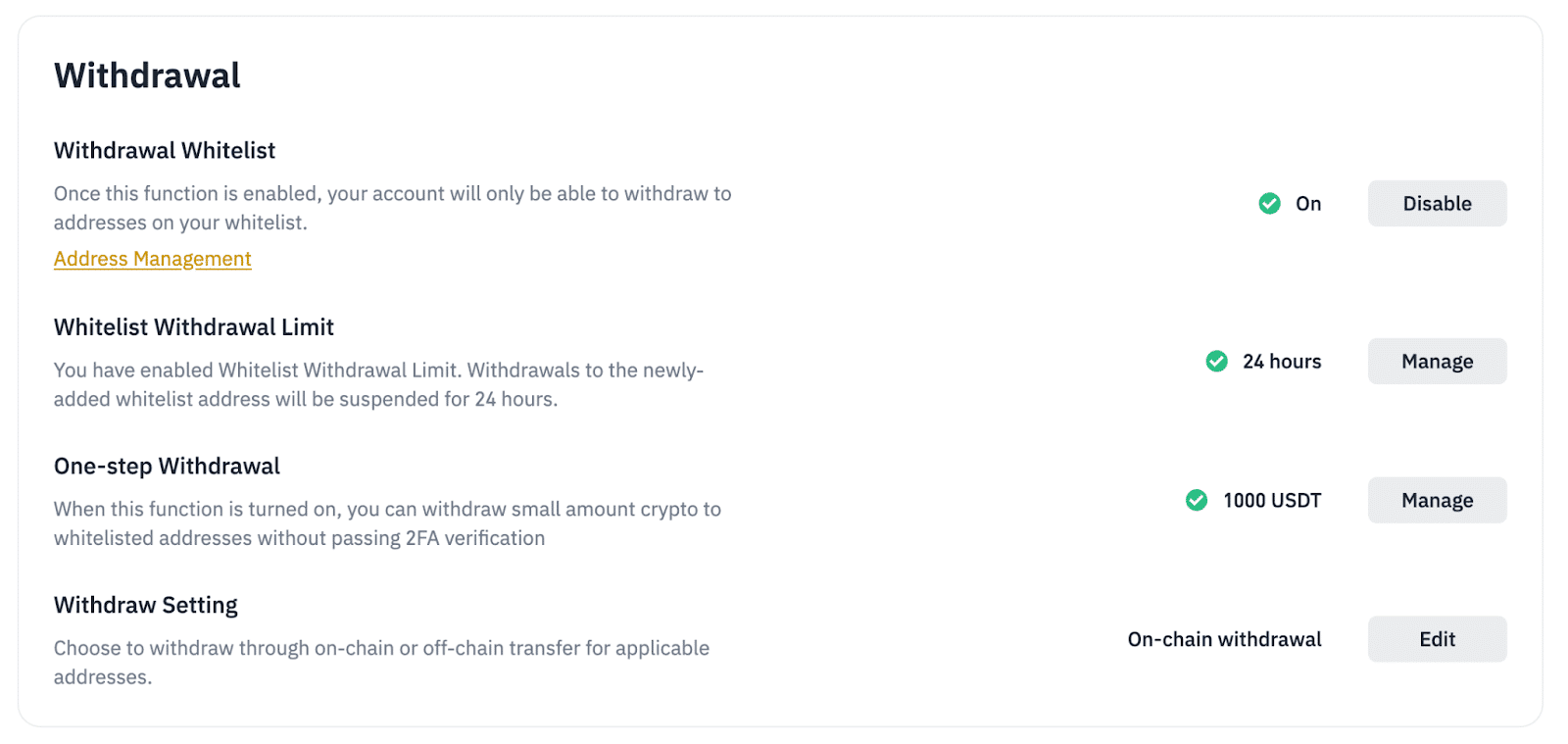
- Withdrawal address whitelisting: only allow funds to be sent to pre-approved addresses.
7. Store Long-Term Funds Offline
It is never wise to keep all of your cryptos on an exchange (or even one wallet if you have a lot of coins). For large or long-term holdings, consider using cold storage like a hardware wallet. Even if your exchange gets hacked, the funds in your wallet remain protected.
Experts recommend only keeping day-to-day funds for trading on exchanges and storing the rest in a cold storage crypto wallet.
8. Review Account Activity Regularly
Many breaches go unnoticed because users don’t check.
- Review login history and device sessions monthly.
- Remove old sessions or apps with lingering permissions.
- Enable 2FA on your email accounts, too.
Top Exchanges Now Require Two-Factor Authentication
Top crypto exchanges not only support multi-factor authentication like 2FA, they make it mandatory. Coinbase, for instance, automatically opts you into 2FA when you create an account. It supports hardware tokens on both desktop and mobile, and offers passkey login support (a password-less authentication method tied to your trusted devices).
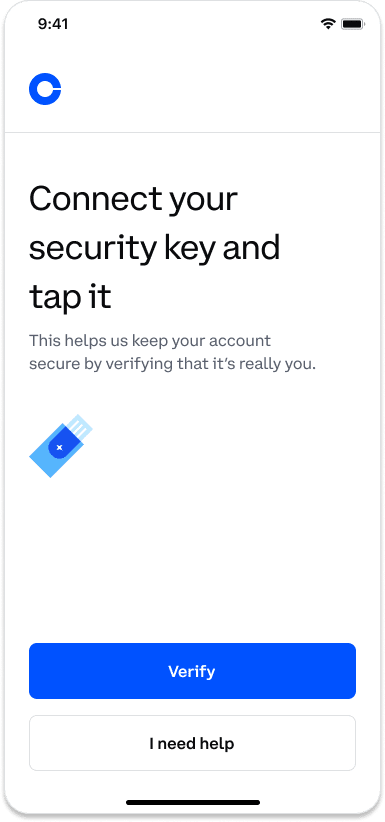
Coinbase also provides security prompt push-based notifications. When triggered, you can approve or deny login attempts on your mobile app, which adds a live verification step.
Another example is Bybit, which also has mandatory two-factor authentication for all critical actions (login, withdrawals, password resets, API changes). Bybit also offers anti-phishing codes, which are unique to each user, and displayed in official emails.
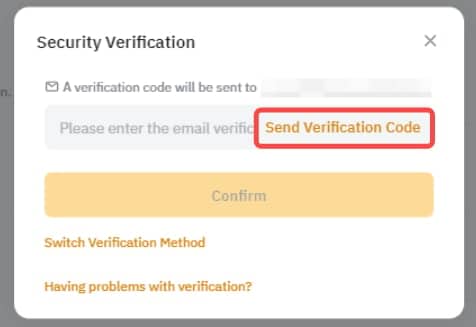
Bybit supports withdrawal address whitelisting, making sure that your funds can only go to pre-approved addresses. It uses multi-signature cold wallets and employs real-time monitoring.
Don’t Be Lazy – Secure Your Accounts With 2FA
The truth is that no exchange or wallet, no matter how secure, is perfectly immune to threats. We’ve seen even the biggest platforms hit by devastating, sophisticated attacks. However, the real difference often comes to the individual user.
At the end of the day, the responsibility for protecting your crypto doesn’t fall solely on the exchange – it falls on you. Major platforms have stepped up their security with advanced features, but even the best systems can’t protect users who overlook the basics.
That being said, stay vigilant, use the tools available, and treat your crypto like real money. In a space where there are no do-overs, your habits are your best line of defense.
FAQ
Is two-factor authentication (2FA) the same as multi-factor authentication?
Not exactly. Two-factor authentication is a subset of multi-factor authentication. Multi-factor authentication means using two or more types of authentication factors. 2FA specifically uses two of these factors.
Why is SMS-based 2FA considered risky?
SMS codes can be intercepted through SIM-swapping or phishing. If someone convinces your phone provider to transfer your number, they can receive your 2FA codes.
What's the best authentication method for crypto exchanges?
A hardware security key offers the highest level of protection. App-based authenticators are a close second. Exchanges now also support passkeys (passwordless logins tied to your device and biometrics).
Can I recover my account if I lose my 2FA device?
It depends on the exchange, but most offer recovery options like backup codes or alternative login methods.
What is a possession factor in authentication?
The term possession factor refers to something you physically have, like a phone, hardware tokens, or a passkey device. It proves your identity through ownership.
Do all crypto exchanges require 2FA?
No, not all do, but the reputable ones strongly encourage or require it for important actions like withdrawals and login.
References
- How Binance Leads in User Protection to Enable Long-Term Crypto Growth – Axios
- One Simple Action You Can Take to Prevent 99.9 Percent of Attacks – Microsoft
- What Is Credential Stuffing – OWASP
- What is a SIM Swap Attack? – Incognia
- The Uber Hack and MFA Fatigue – Kinde
- Federal Bureau of Investigation Internet Crime Report – ic3.gov
- FBI US: Ransomware Attacks Up 9%, Crypto Fraud Up 66% – Pymnts
- Japanese Crypto Exchange DMM Bitcoin to Shut Down After $305M Hack – CoinDesk
- North Korea Responsible for $1.5 Billion Bybit Hack – ic3.gov
- Coinbase Now Supports Security Keys for 2-Factor Authentication – Coinbase