Hardware crypto wallets offer secure, offline storage for the private keys that control your cryptocurrency assets on the blockchain. While hardware wallets have been around for more than a decade, many suffered from subpar design, like fiddly buttons or, more recently, finicky touchscreens. The D’CENT Wallet leaves those troubles behind with an innovative biometric (fingerprint) authorization. In this D’CENT wallet review, we provide an in-depth examination of this Bluetooth crypto wallet, highlighting its standout features, key advantages, and areas for improvement.
While the biometric wallet is the most popular D’CENT wallet, D’CENT also offers a credit card-sized All-in-One Wallet that utilizes Near-Field Communication (NFC) technology and supports a smaller selection of cryptocurrencies. We’ll discuss this slim option in our D’CENT wallet review as well as the flagship D’CENT Biometric Wallet.
Our Verdict on D’CENT Wallet
D’CENT packs a lot of value into a small package with its flagship Biometric Wallet and the more affordable Card Wallet. Both devices offer secure offline storage for the wallet’s private keys, utilizing an EAL 5+ secure element chip. Limitations center on the mobile app itself, which serves as a hub for either D’CENT hardware wallet (or both) and also provides standalone functionality.
While user-friendly and generally well-designed, the mobile app could use some TLC, particularly in the Discovery section, which allows users to find decentralized applications.
In comparison to many competing products, the D’CENT Biometric Wallet is a pleasure to use, combining an ample OLED screen with fingerprint authentication and responsive D-Pad buttons. This sturdy and convenient hardware wallet provides a compelling value proposition. Let’s discuss some of the pros and cons before diving into the full D’CENT wallet review.
Pros
- Non-custodial cold wallet storage
- Secure biometric authentication
- EAL5+ Secure Element
- Support for 78 blockchains
- Transaction previews on device screen
Cons
- Not open-source
- No native staking support (dApps only)
- Limited customer support
D’CENT Wallet Review Key Takeaways
| Security ★★★★★ |
D’CENT Biometric Wallet features a CC-EAL5+ certified secure element chip, providing tamper-resistant biometric security. |
| Crypto Selection ★★★★★ |
Support for 78 blockchains provides coverage for the most popular coins and tokens. (27 supported for the Card Wallet) |
| Cross-Platform Support ★★★★ |
As a mobile-first wallet, D’CENT focuses on Android and iOS. However, the wallet can work with QR codes to connect desktop dApps. |
| Functionality ★★★★★ |
A well-sized 4-button D-Pad and a fingerprint scanner simplify user interactions. |
| Tools ★★★★ |
A growing selection of featured apps provides a starting point for users. The mobile wallet supports crypto purchases, DEX swaps, and cross-chain swaps. |
| Web3 Integration ★★★★ |
WalletConnect support enables users to access dApps outside of the wallet app. |
| Overall Value ★★★★★ |
D’CENT biometric wallets compare favorably with competing products that are priced higher. |
What is D’CENT Wallet?
D’Cent Wallet is a hardware crypto wallet (cold wallet) that stores the wallet’s private keys offline and allows users to authorize transactions with fingerprint authentication. This secure cryptocurrency storage solution connects to a companion mobile wallet via Bluetooth, allowing users to navigate transactions with an easy-to-use interface while protecting the wallet’s private keys with a CC-EAL5+ certified security chip. This security certification puts the D’CENT biometric wallet on par with Ledger hardware wallet devices, which also boast a CC-EAL5+ certification.
D’CENT Wallet is made by IoTrust, a South Korean company that launched the world’s first biometric crypto wallet in 2018. The company later launched the D’CENT Card Wallet, a slim, credit card-sized wallet that stores private keys offline and supports Near Field Communication (NFC) for transaction authorizations.
Both cold wallets pair with the D’CENT mobile wallet, which switches between biometric wallets and card wallets or functions as a standalone mobile wallet.
What Type of Wallet is D’CENT?
The D’CENT cold wallet is a non-custodial wallet, meaning the user controls the private keys. By contrast, a non-custodial wallet is one in which the private keys are controlled directly by the wallet owner, rather than a third-party custodian, such as a cryptocurrency exchange.
- Non-custodial wallets require the user to back up a recovery phrase, which can be used to restore the wallet if the biometric cold wallet is lost or damaged. This recovery phrase, also known as a seed phrase, is a method of private key generation that controls the crypto assets on the blockchain.
- Custodial wallets give control of the private keys to a third party, allowing the user to access the funds through a traditional username and password login. This type of storage is generally associated with less secure wallets due to the risks associated with hacking, breaches, impropriety, or custodian insolvency.
Both the biometric wallet and the card wallet offer secure cold wallet storage, meaning that the private keys are stored on a device that does not connect to the internet. This makes them both non-custodial cold wallets.
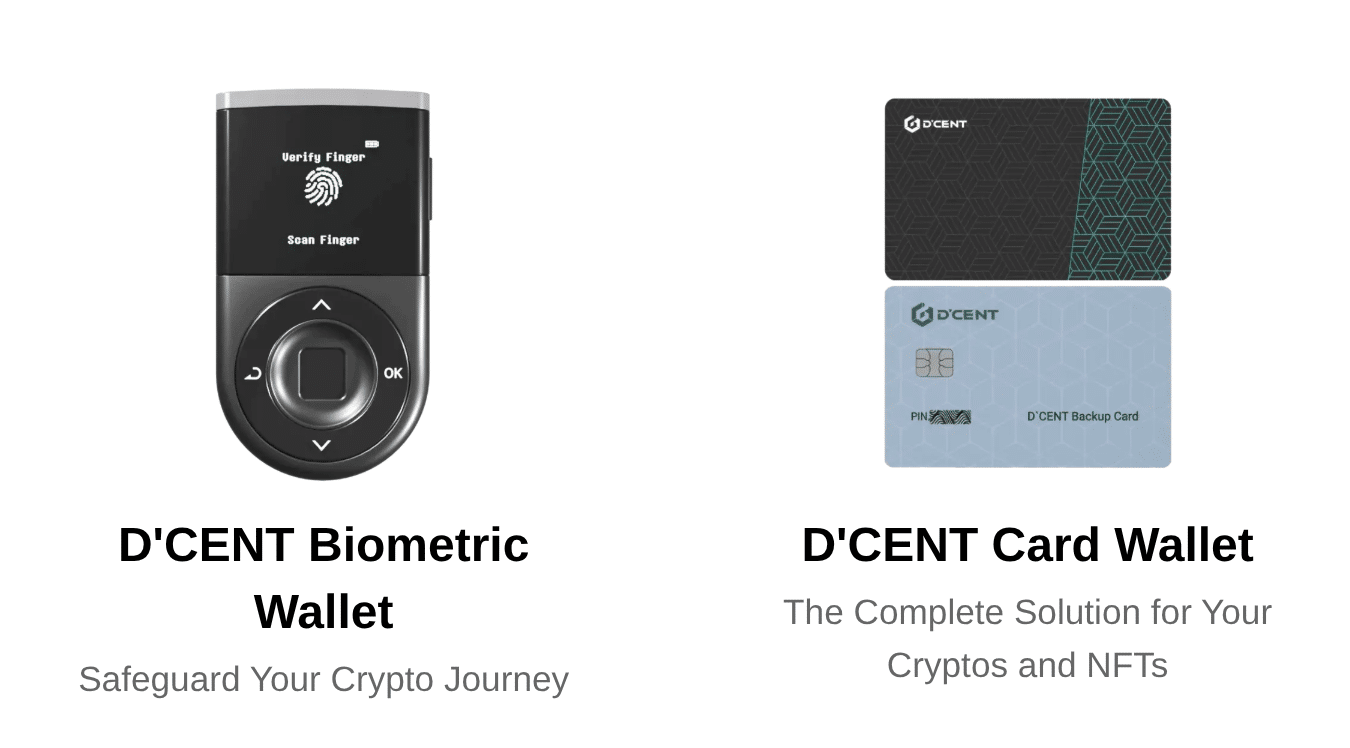
The D’CENT Wallet app acts as a hub for setup and recovery, pairing with the D’CENT Biometric Wallet or the D’CENT Card Wallet. The app can also serve as a hot wallet (storing private keys on your mobile device). This flexibility allows users to keep a hot wallet for convenience while storing larger amounts in cold wallet storage with a paired hardware wallet.
Supported Chains & Cryptos
The D’CENT Biometric Wallet supports 78 blockchains, including leading chains like Bitcoin, Ethereum, Solana, and XRP. Additionally, the app supports dozens of emerging chains, including Base, Avalanche, Cronos, Near, and many more.
D’CENT Card Wallet supports a narrower range of assets, focused on Ethereum and Ethereum Virtual Machine (EVM) networks. In total, 27 chains are at your fingertips.
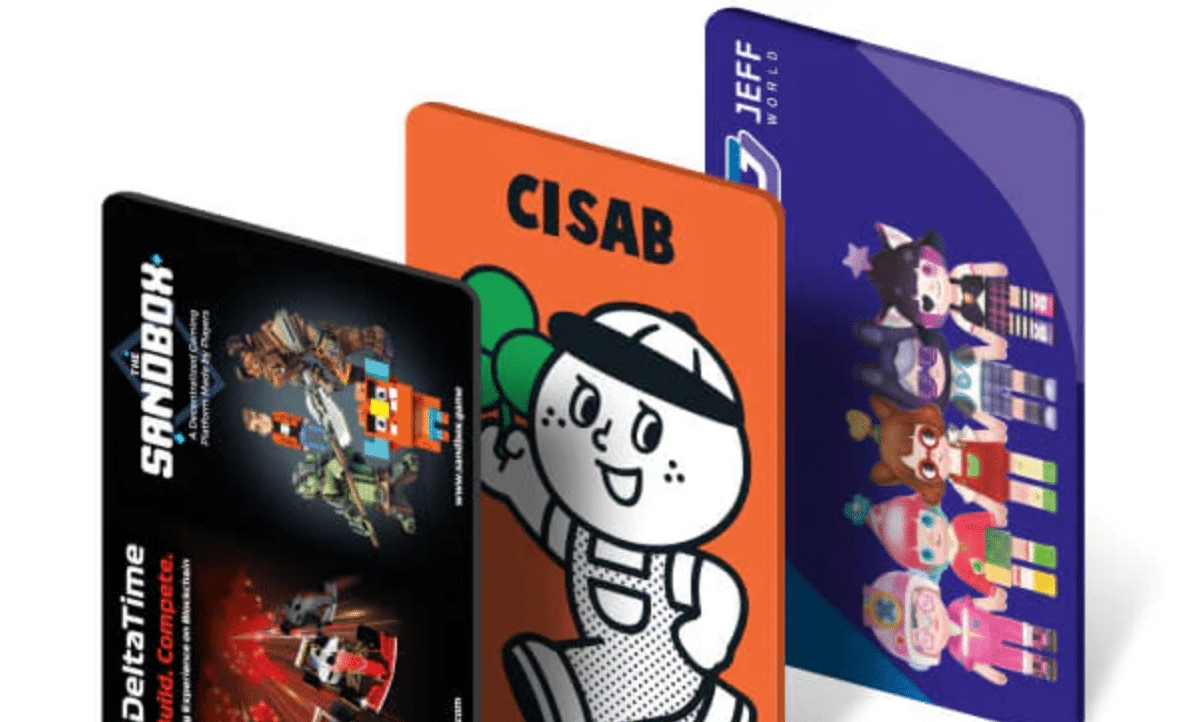
D’CENT Wallet Supported Coins and Chains
Versatility is one of the best features of the D’CENT cold wallet, designed to support multiple blockchains. Below follows an up-to-date list of the supported blockchains.
| Biometric Wallet | Card Wallet |
|
|
In total, the D’CENT cold wallet supports 78 blockchains and more than 4,500 tokens, with the Card Wallet supporting an EVM-compatible subset. In application, the D’CENT wallet crypto list is much larger. Support for ERC-20 tokens, SPL tokens, and upcoming support for BRC-20 tokens enables storage and management of countless crypto assets.
The mobile app, which serves as a hub for both hardware wallets and as a standalone phone app, parallels the more extensive coverage of the Biometric Wallet.
D’CENT Wallet Features & Tools Explained
D’CENT delivers a user-friendly experience while offering several tools and features that bring additional utility, such as trending tokens and push alerts. The hardware wallet itself also differentiates itself from most other hardware wallets, including features like a CC-EAL5+ certified secure chip. Let’s explore the key features of both D’CENT hardware wallets first.
Hardware Features
D’CENT’s two hardware wallets take distinctly different approaches regarding how the user authorizes transactions. However, both types of wallets interact with the D’CENT mobile app. Users use the app to select which wallet they want to use for specific transactions, choosing from the biometric wallet, the card-type wallet, or the D’CENT software wallet app.
Fingerprint Authentication (Biometric Wallet): D’CENT’s biometric fingerprint scanner remains the main draw for the wallet. Many legacy wallet designs use small up and down buttons paired with small screens. D’CENT’s well-sized biometric fingerprint scanner offers a welcome change to that design paradigm. Users can view the transaction and authenticate with a simple touch.
PIN Backup: As an alternative to biometric authentication, users can authorize transactions using a PIN code.
NFC Authentication (Card Wallet): D’CENT’s Card Wallet does not support biometric authentication. Instead, this credit card-sized wallet uses Near Field Communication (NFC) to communicate with the mobile app. NFC is the same technology used for tap-to-pay, now common in smartphones and credit cards.
CC-EAL5+ Secure Element Chip: Again borrowing from the smartphone and credit card industries, D’CENT secures the wallet’s private keys using a Secure Element chip designed to thwart tampering. The chip provides both the biometric and card wallet with one of the highest security ratings available, placing it on par with market-leading devices like Ledger. However, the presence of the Secure Element chip prevents the open-sourcing of the wallet firmware.
Large OLED Display (Biometric Wallet Only): Users familiar with some of the first crypto wallets, including the Ledger Nano S and Trezor Model One, will find D’CENT’s larger screen more comfortable for viewing transactions. The device supports “What You See Is What You Sign” (WYSIWYS), allowing users to verify transaction details without relying on possibly incorrect (or even fraudulent) transaction details displayed by dApps.
Bluetooth Connectivity (D’CENT Biometric Wallet): The biometric wallet connects to the mobile wallet app using Bluetooth connectivity. While Bluetooth offers convenient connectivity, the biometric wallet also supports USB-C connectivity for firmware updates using an OTG cable (sold separately and supported on Android devices only).
Mobile App Features
D’CENT Wallet provides an intuitive interface for its mobile app. New users should find the app easy to navigate.
Portfolio: The My Wallet tab provides a quick overview of individual wallet addresses and holdings. NFTs are also supported, a clean grid layout for easy viewing on supported chains.
Intuitive Send and Receive: Sending and receiving crypto follow a straightforward process. Users can scan QR codes or copy and paste a receiving address. The app also generates large, readable QR codes to make sharing a public wallet address easy and convenient.
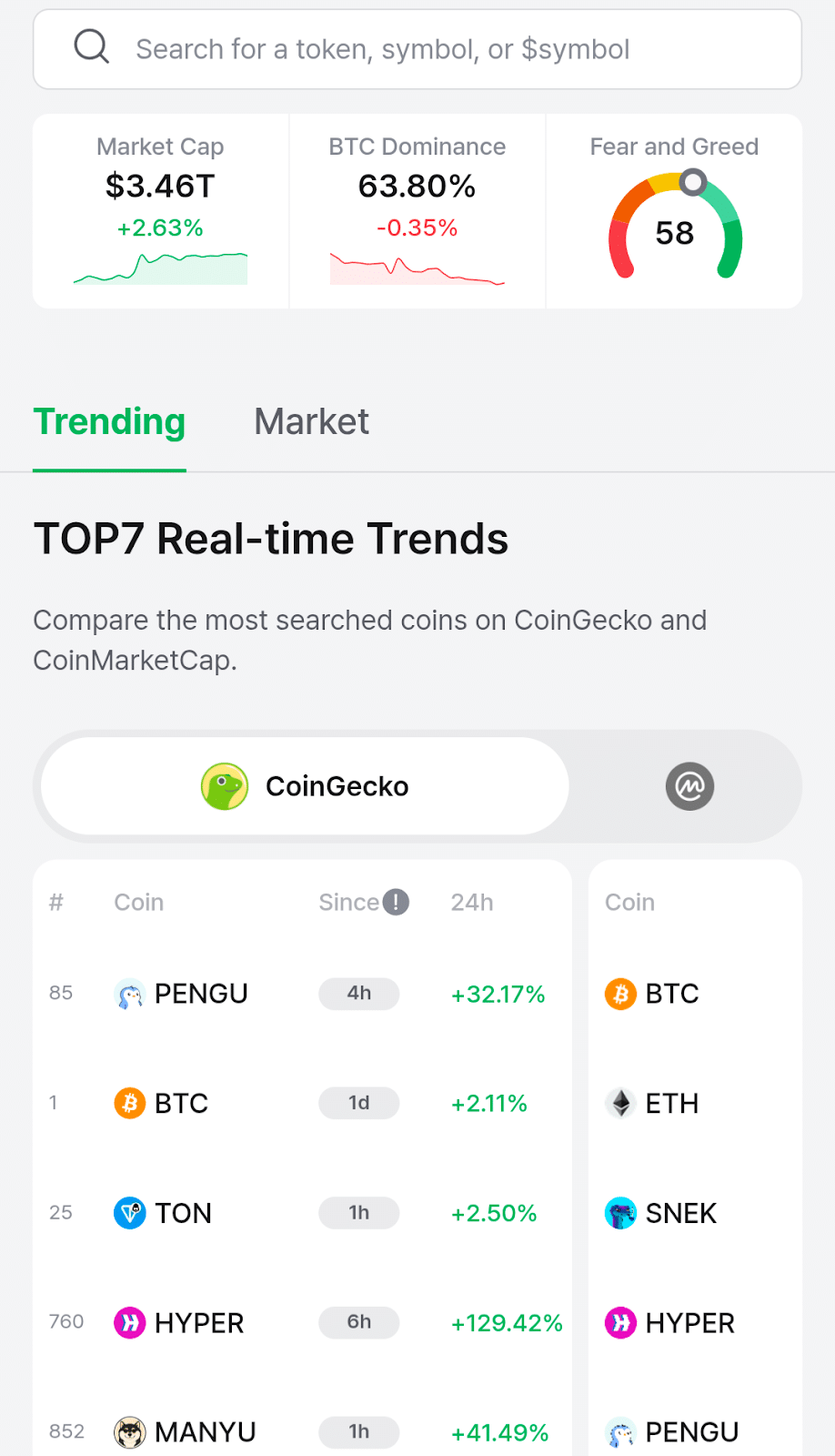
Insights Tab: The insights tab provides market data at a glance and highlights trending coins. We quickly observed several potential profit opportunities as well as a significant drop for GMX, one of the leading coins on Arbitrum. This followed a $42 million hack of the GMX platform.
- Insights features top searches from CoinGecko and CoinMarketCap, two leading crypto market data aggregators.
- Access real-time market prices for leading cryptos at a glance.
- Top7 Trends – D’CENT spotlights trending coins and provides a suggested entry point.
- View the overall crypto market capitalization, Bitcoin dominance (percentage of the market), and Crypto Fear and Greed Index, a popular tool used to gauge market sentiment.
Swap and Bridge: D’CENT Wallet supports simplified cryptocurrency swapping, offering a clean interface. Select a crypto to swap and a crypto to receive, then set the amount. The app abstracts the behind-the-scenes complexities. Notably, this feature supports cross-chain swaps as well as swaps within the same chain. For example, users can take profits on meme coins, swapping to Bitcoin in seconds. Without user-friendly tools like this, the transaction would require several steps, likely including transferring assets to a cryptocurrency exchange.
Discovery Tab: D’CENT supports WalletConnect, a popular standard seen with many of today’s leading decentralized applications (dApps). This enables users to explore the Web3 world freely. The app offers a curated selection of these applications, including top destinations such as Uniswap, Compound, OpenSea, and Yearn Finance.
We would have liked to have seen a broader selection of dApps, as well as categorization and a search feature. While the selection of apps provides a good starting point for exploring Web3 and decentralized finance (DeFi), this area of the D’CENT app wallet could be enhanced to improve the user experience.
Licensing and Safety: Is D’CENT wallet Safe?
D’CENT operates as a registered business in South Korea. This makes the company responsible for adhering to consumer protection laws in jurisdictions where it is subject to legal requirements.
However, unlike many crypto exchanges, D’CENT does not need to register as a Money Services Business (MSB). D’CENT provides a non-custodial wallet that gives users control over their private keys. While users can swap or buy cryptocurrencies, these services are provided by third-party providers accessible through D’CENT’s mobile app. For example, token swaps occur through atomic swaps or decentralized exchanges integrated into the app. Similarly, crypto purchases are facilitated through third-party providers, such as Topper, MoonPay, or Simplex.
Each of these providers may be subject to regulation in specific jurisdictions. Topper, for instance, is registered with FinCen and several state regulators in the US, as well as in Europe.
Available third-party providers vary by region. As a result, licensing requirements also vary by location.
Safety
Several features make D’CENT a safer choice than many competitors, including biometric authentication, available with the app as well as the Biometric Wallet.
- Secure Element Chip: D’CENT uses a Common Criteria EAL5+ certified Secure Element Chip. The rating refers to a robust level of security. Secure Element Chips are used in smartphones and credit cards to protect sensitive data.
- Biometric Authentication: Both the wallet app and D’CENT’s Biometric Wallet offer fingerprint authentication. Both wallets also provide PIN access as an alternative.
- Firmware Authenticity Checks: When connecting to the hardware wallet, D’CENT’s mobile wallet app performs firmware verification to ensure authenticity.
- “What You See Is What You Sign” (WYSIWYS): In the largest crypto hack to date, hackers stole $1.5 billion in digital assets by displaying a seemingly legitimate transaction on the SafeWallet web app. WYSIWYS shows the actual transaction details on the Biometric Wallet’s screen, allowing users to double-check and avoid costly scams.
- Audited Firmware: Coinspect, best known for auditing Bitcoin Core, the software that powers the Bitcoin network, performed an audit of the Secure Element chip and device firmware.
D’CENT Wallet Fees
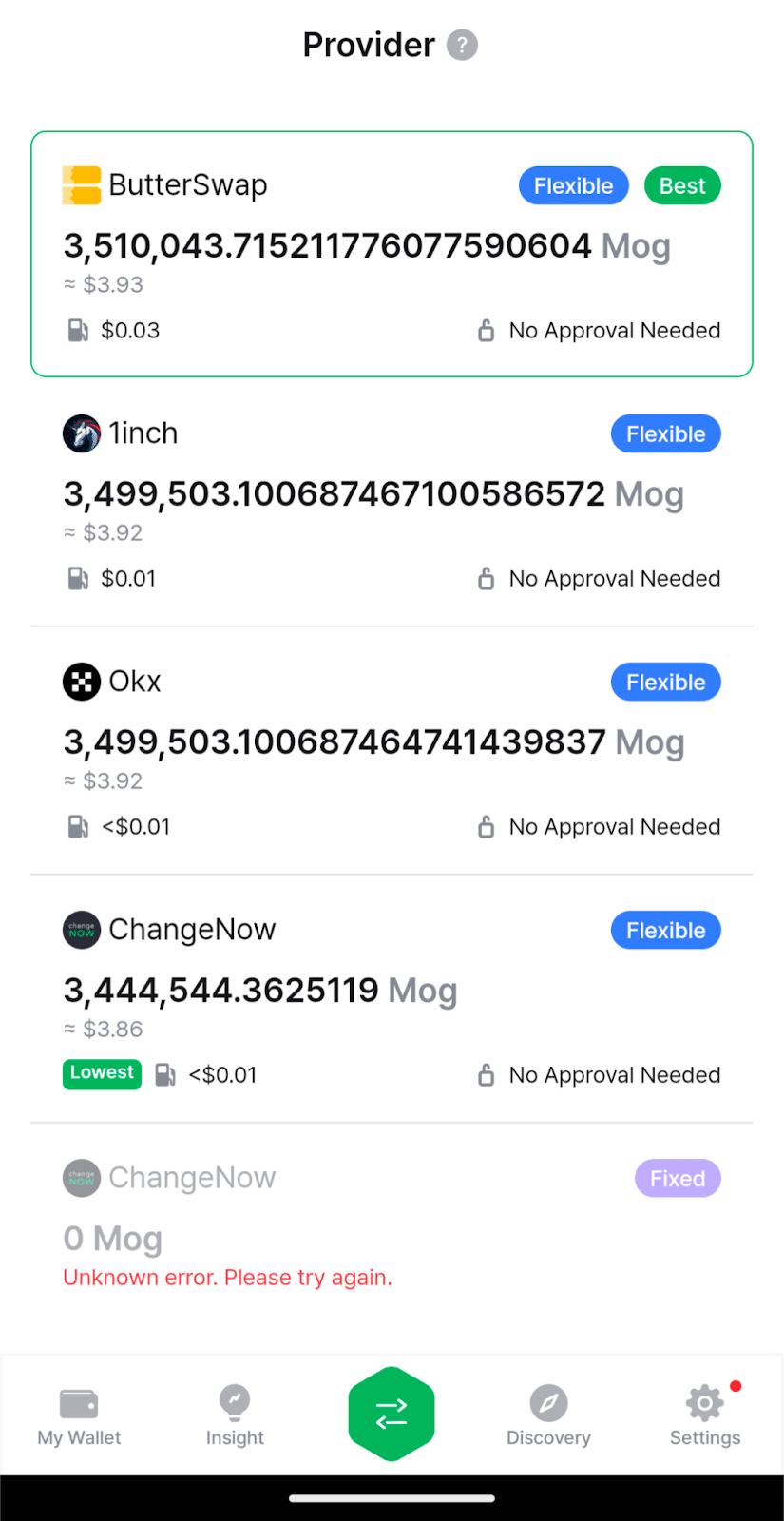
When swapping or buying cryptocurrencies through the mobile app, D’CENT Wallet automatically finds the best exchange rate. For example, when swapping ETH for Mog Coin, we found the best rate through ButterSwap, but also had the option to swap through different routers, including 1inch and OKX. These platforms aggregate available liquidity on decentralized exchanges (DEXs) to find the best value.
We didn’t note any additional fees for DEX swaps, although some had a notably high minimum slippage setting (1.5%). Slippage refers to a difference in value between the amount expected and the amount received in a trade. All DEX swaps are subject to network fees, which vary based on network traffic and the complexity of the smart contract.
However, users will see meaningful fees when buying crypto through the app using a bank transfer or debit card. D’CENT’s integration with third-party providers offers a convenient way to top up balances, but it will generally be more expensive than purchasing through a crypto exchange.
BTC Fee Comparison
The table below compares in-app purchases for $300 to the market value of Bitcoin (BTC).
| Provider | $300 Purchase | Value at Spot Price | Effective Fee ($) | Fee/Spread (%) |
| Spot Price | 0.0027 BTC | $300 | N/A | N/A |
| Topper | 0.00261939 | 286.85 | $13.15 | 4.38% |
| MoonPay | 0.00256 BTC | 280.35 | $19.65 | 6.55% |
| Simplex | 0.00252566 BTC | 276.59 | $23.41 | 7.80% |
When buying crypto in the D’CENT Wallet, fees are divided into two categories: bank or card processing fees and spreads. A spread acts as a markup to lock in a price quote even when market prices fluctuate. Depending on the provider, individual costs may be listed; however, it’s more likely that you’ll simply see the amount received for the transaction.
Generally, you can purchase crypto through a centralized crypto exchange at significantly lower costs, particularly when funding your account via bank transfer or cryptocurrency and using limit orders on an advanced trading platform. However, D’CENT does offer a convenient way to top up balances on the go. The app also offers intuitive DEX trading with no additional fees.
Usability: D’CENT Wallet App User Experience
Overall, the D’CENT user experience represents a carefully planned system that combines secure offline crypto storage with intuitive app navigation. The wallet app itself caters to newer crypto users while offering connectivity options that allow more experienced users to explore independently.
Buying crypto on the app proved effortless. D’CENT integrates with several leading cryptocurrency providers, including Topper (powered by the Uphold exchange), as well as MoonPay and others.
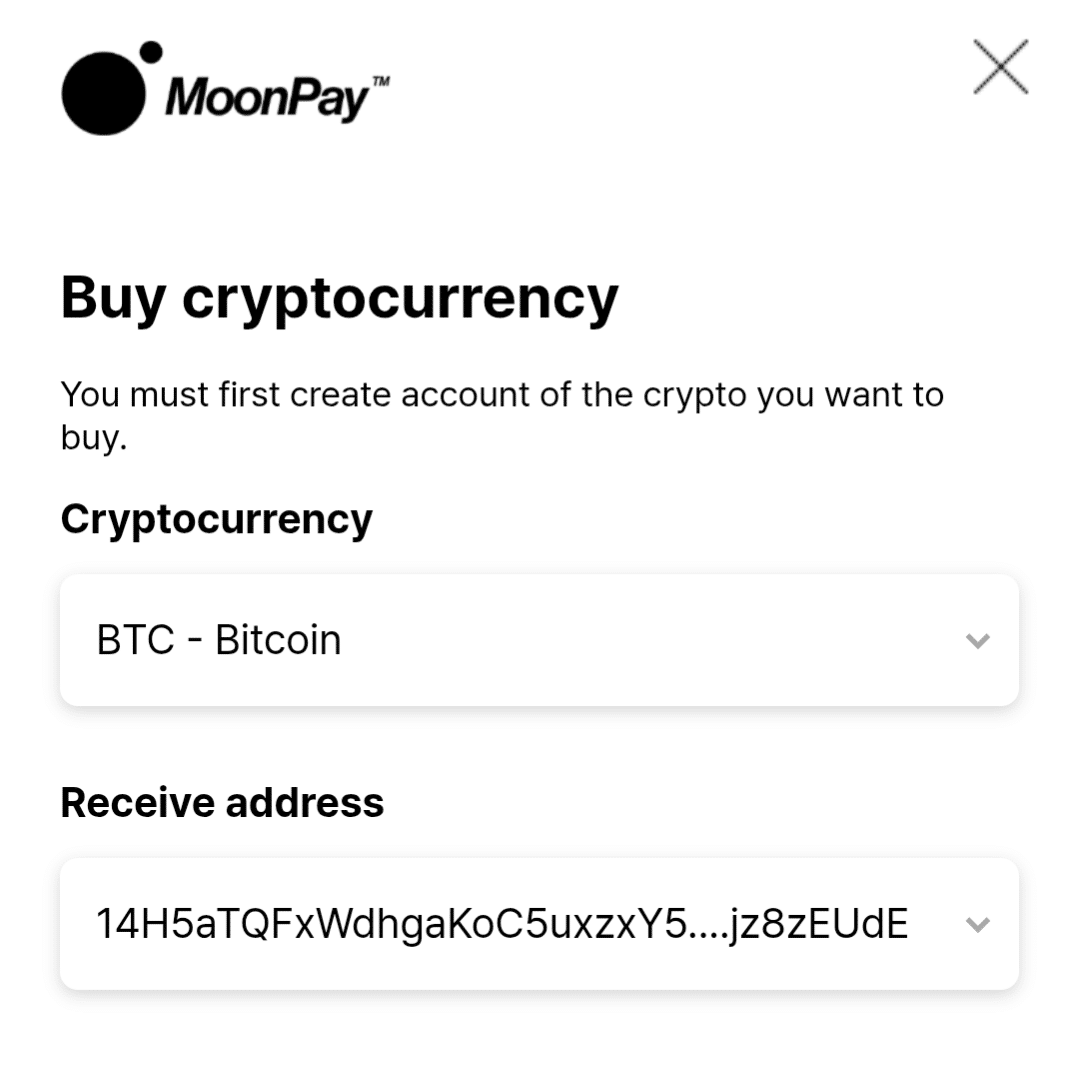
Some integrated third-party providers require Know Your Customer (KYC) identity verification, a standard that is becoming increasingly common within the industry. Once verified, purchases are intuitive, albeit costlier than using a crypto exchange.
Similarly, crypto-to-crypto swaps are designed with the user in mind. A simple interface allows swaps from token A to token B, including the ability to swap to assets on another blockchain. However, this often creates a need to make a “new wallet” within the app. This step could be better explained for newer users with a help tip.
Swaps within the same chain use a decentralized exchange, with the app listing a selection of DEX aggregators and defaulting to the best exchange rate.
Assets are listed on the main screen, sorted by wallet. Each blockchain can hold multiple wallets, each with its own wallet address, with a total of 80 wallets supported.
The Insights tab proved particularly useful, highlighting some of the biggest movers. The app also provides push notifications for the Top 7 list, keeping users informed of significant moves for individual tokens. A buy indicator helps users identify potential entries.
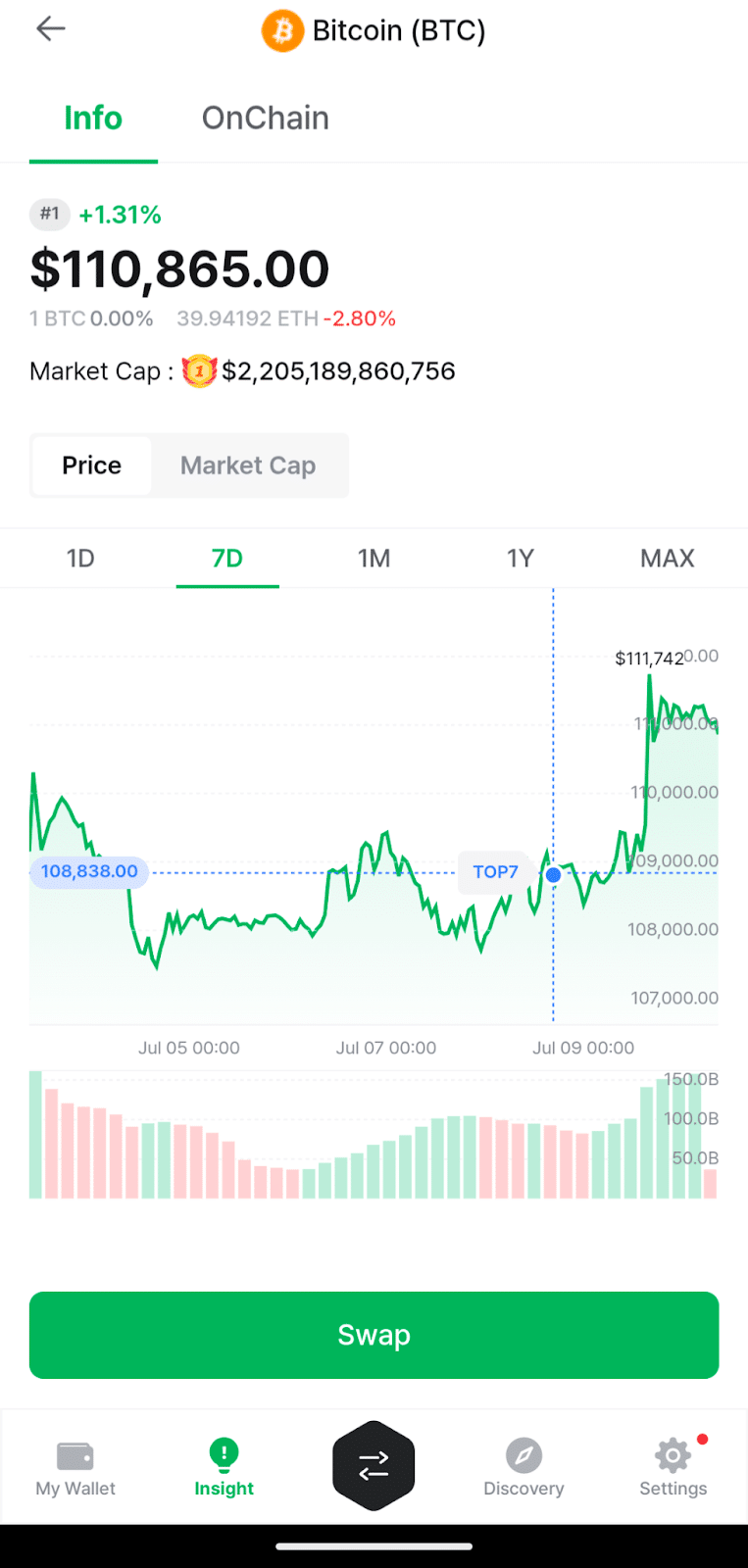
However, the absence of detailed charting tools makes the app better suited to investors taking long-term positions rather than active traders.
Another area that could benefit from improvements is the Discovery tab. This section of the app centers on tools for users, including links to buy crypto or interact with decentralized applications. We would have liked to see categories, filters, and a search bar in this section, all of which make it easier to interact with crypto ecosystems.
While both hardware wallets provide secure storage, the wallet app itself focuses on simpler forms of secure management and excels in tasks such as sending and receiving.
What’s Next? D’CENT Wallet Roadmap
D’CENT has already accomplished some key tasks on its roadmap, including multi-language support. Users can change the language and local currency in the settings tab of the mobile app. However, a more expansive list of languages would better serve a global audience. Currently, the app supports five languages. Dozens of currencies are supported.
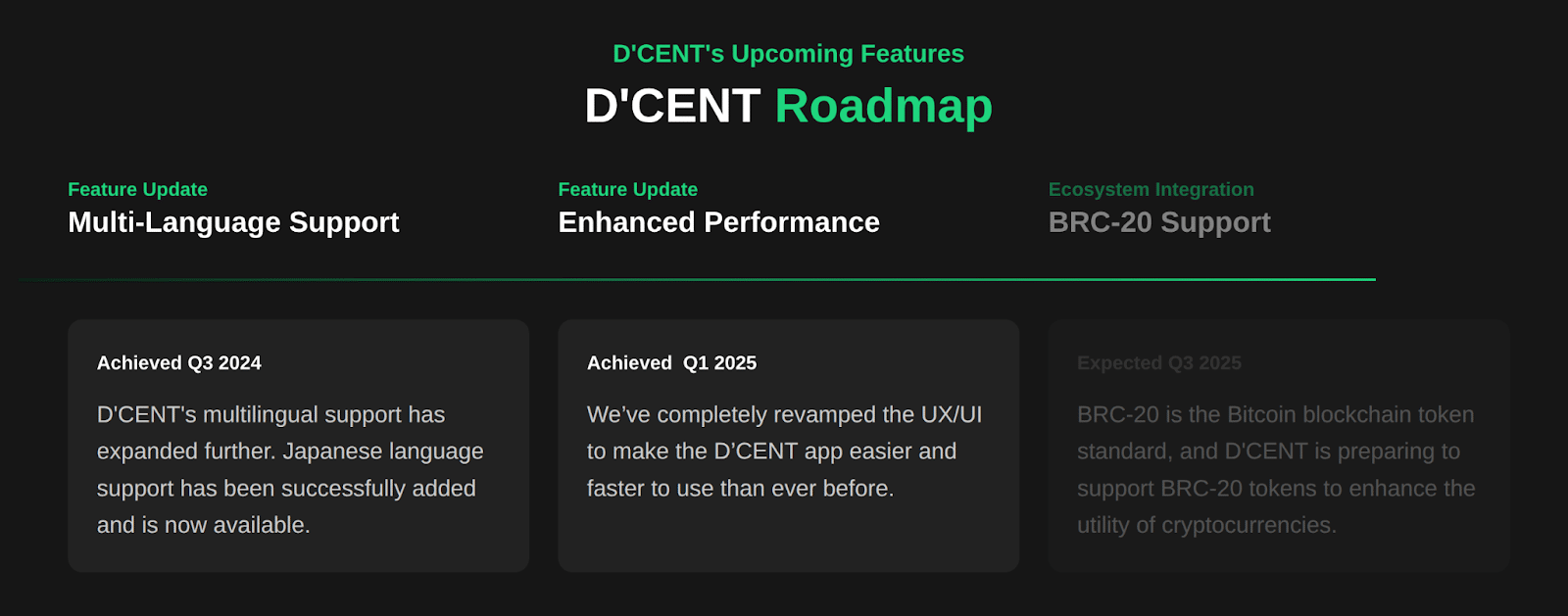
A UX upgrade in 2025 made the app more user-friendly. Someone new to crypto can set up and use the wallet within minutes. An uncluttered interface makes D’CENT a pleasant experience.
IoTrust also plans to introduce support for the BRC-20 token standard, which is a popular way to store tokens on the Bitcoin network.
D’CENT also introduces periodic upgrades that aren’t featured on the roadmap. Recently, the app added support for XRP EVM-compatible sidechains (still on Testnet). This feature is available on competing software wallets like MetaMask and demonstrates D’CENT’s commitment to adding new features.
D’CENT has also added support for several new blockchains recently, including Berachain and Chiliz.
Getting Started: How to Set Up a D’CENT Wallet Account
You don’t need a hardware wallet for the setup process of a D’CENT Wallet account. The mobile app functions as a standalone wallet, allowing users to add a biometric wallet or a card-type wallet at any time. Let’s review the basic steps for setting up a D’CENT Wallet account. You can buy a wallet directly from D’CENT using links within the app.
1) Download the App
Visit the D’CENT website to find the official links for the mobile wallet app. The app supports Android and iOS. Scan the QR code to navigate to the app page for your operating system and install the app.
2) Create a New Wallet
Open the app and tap on Create Wallet. If you need to restore a wallet, you can also perform that function at this step.
Next, choose which type of wallet you want to create. We’ll use the mobile app wallet in this example.
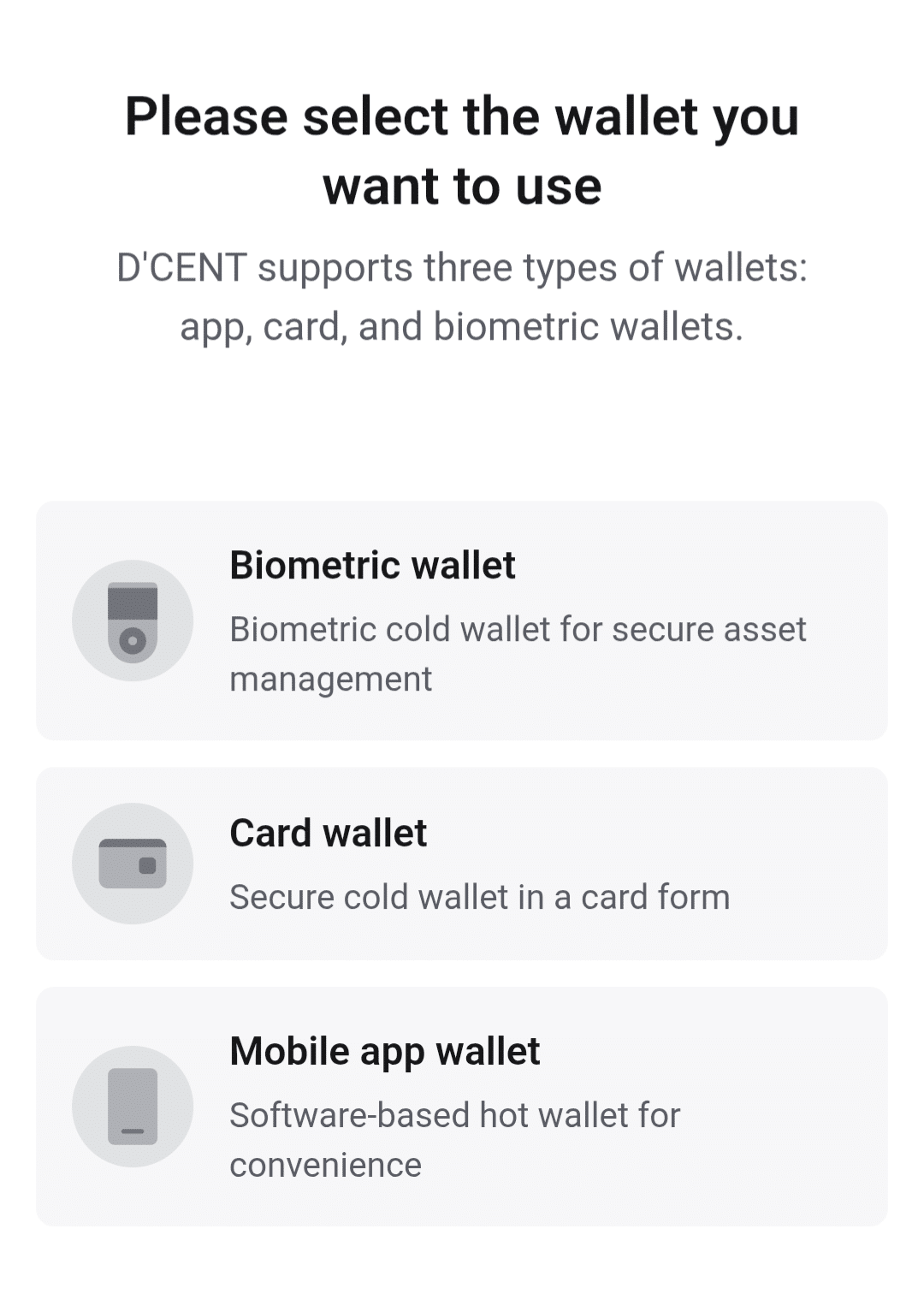
3) Select a PIN and Enable Biometric Authentication
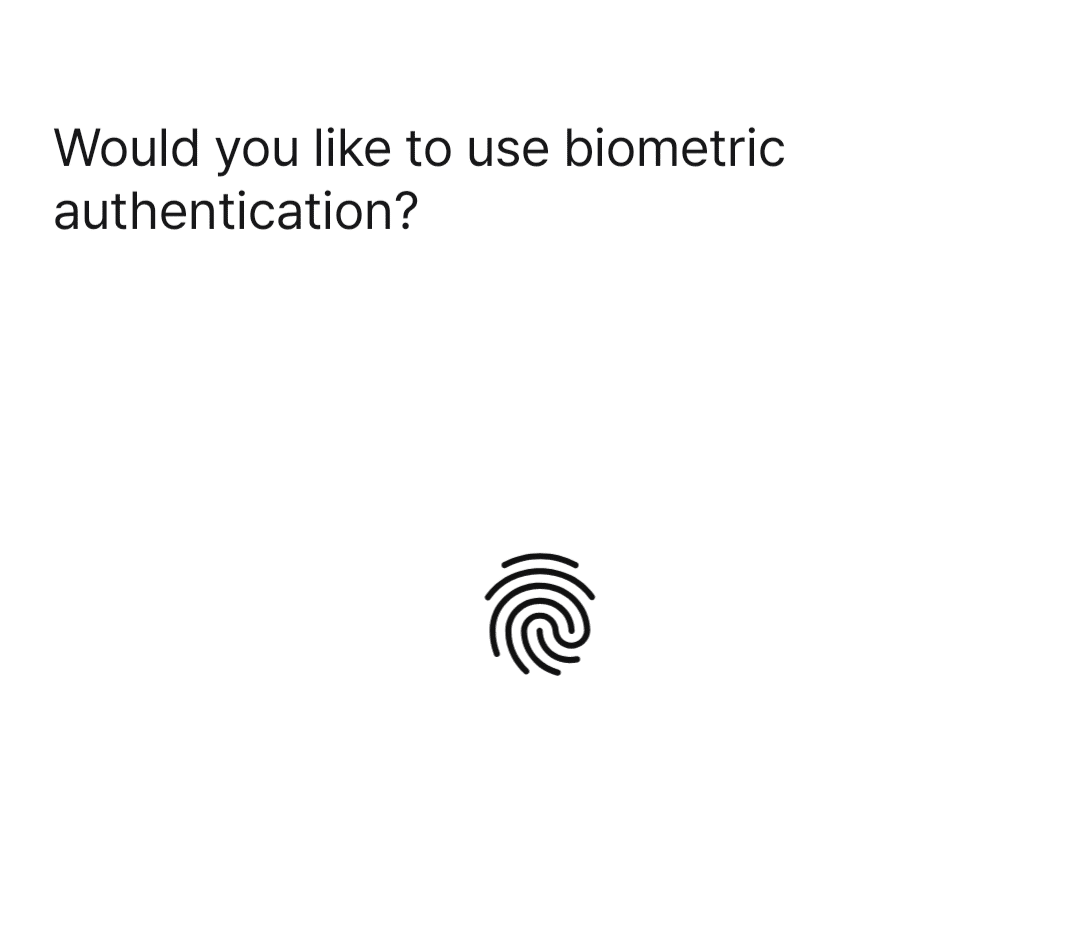
Choose a 6-digit PIN to secure your wallet when your device is unattended. Optionally, enable fingerprint authentication.
4) Back Up Your Recovery Phrase
D’CENT automatically generates a 24-word recovery phrase that you can use to restore your wallet if needed or when switching devices. You won’t be able to create accounts or transact until you back up the recovery phrase. Write this recovery phrase down and store it securely.
Next, verify the recovery phrase by choosing the words in order from a scrambled list. After this step, you can create wallets and perform transactions.
5) Add Accounts and Fund Your Wallet
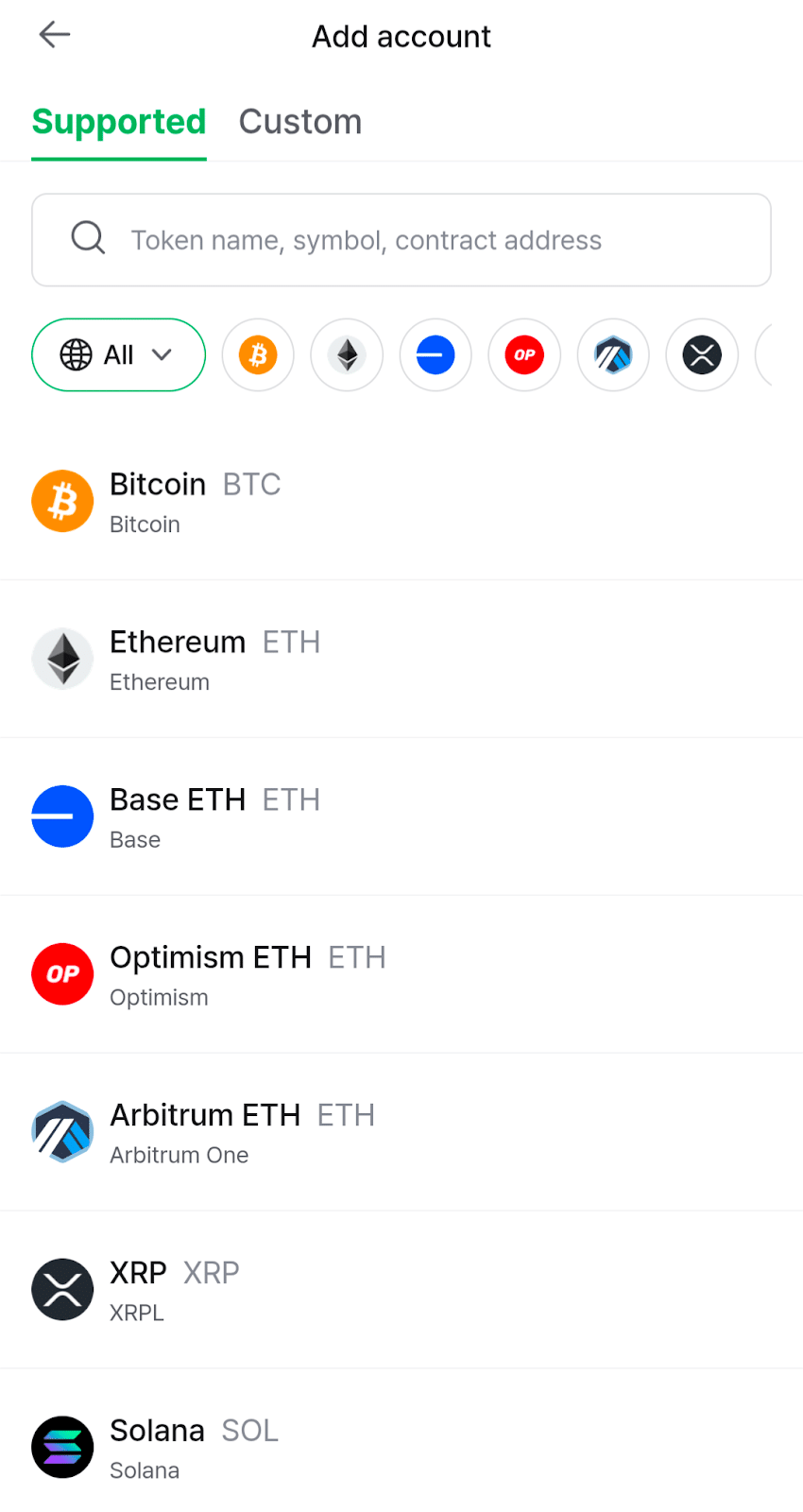
Select the account you want to start with and give the account a unique name for easy identification. After creating the first account, you can fund it with cryptocurrency by sending it from another wallet, transferring it from a crypto exchange, or purchasing it from a third-party provider featured in the app.
Once your wallet is funded, you can explore the crypto world, send and receive, or hold securely for long-term gains.
D’CENT Wallet Customer Service and Support
D’CENT offers help pages, which are accessible from the settings menu. Click on 1:1 Inquiry to find a searchable how-to section. Users can also contact the support team via an email ticket system.
DCENT wallet reviews on TrustPilot show a mix of experiences, ranging from those who loved the features to complaints about delayed shipments. The company seemed responsive, replying to several reviewers with actionable next steps to resolve their issues. Overall, D’CENT wallet reviews on TrustPilot give the company and wallet a 2.4 out of 5-star rating.
Apple users rate the D’CENT app at 3.6 stars, with users praising the wallet’s biometric security and others complaining about the recovery phrase backup process (common to all crypto wallets).
Android users awarded the D’CENT app with 4.1 out of 5 stars. Users praised the ability to invest in lesser-known tokens. One user changed their rating from 1 star to 5 stars after D’CENT replied to the review with a solution.
Overall, D’CENT Wallet customer service provides adequate support, although the complexity of crypto storage can cause frustration for users. We would have liked to have seen live chat support, but received a timely reply to our question via email.
The Verdict
The D’CENT Wallet crypto wallet provides secure offline storage for crypto assets by storing the wallet’s private keys in a tamper-resistant device. A choice of two wallets offers a solution for any budget, with the flagship biometric wallet providing coverage for 78 blockchains. The easy-to-carry D’CENT Card Wallet scales down blockchain coverage to 27 chains, focusing on EMV smart-contract chains like Ethereum.
Paired with the D’CENT mobile app, these two wallets represent an outstanding value overall. Both hardware wallets feature EAL-5+ security ratings for the internal Secure Element chip, placing D’CENT on par with industry standards.
In our D’CENT wallet review, we found that app itself caters to newer users with a clean and bright user-friendly interface, notably free of clutter. This makes it easy to send, receive, and store crypto assets, including coins, tokens, and NFTs. WalletConnect support enables more experienced users to connect with decentralized applications, ranging from Web3 games and social media to decentralized finance applications.
You can purchase your own D’CENT wallet on the official D’CENT wallet website.
FAQs
How safe is a D’CENT wallet?
Who owns the D’CENT wallet?
How does a D’CENT wallet work?
What coins does D’CENT wallet support?
References
- What is Security Certification? (Ledger)
- Firmware Update (D’CENT Wallet)
- Decentralized Exchange GMX Exploited for $42M (Yahoo Finance)
- Money Services Business (Financial Crimes Enforcement Network)
- North Korea Responsible for $1.5 Billion Bybit Hack (IC3 PSA)
- Coinspect audit of the D’CENT Wallet (Medium)
- D’CENT Wallet Now Supports XRPL EVM Sidechain Testnet (D’CENT Wallet)
- D’CENT wallets (Trustpilot)