The Trezor Safe 7 is Trezor’s flagship hardware wallet. It combines two secure element chips, Bluetooth connectivity, wireless charging, and a quantum-ready architecture into an aluminum body with a 2.5-inch touchscreen. However, at $249, it’s the most expensive wallet in Trezor’s lineup.
The centerpiece is TROPIC01, the world’s first auditable secure element chip. Unlike traditional “black box” security chips, anyone can verify how this one protects your crypto. Trezor paired it with a second EAL6+ certified chip to create a dual-layer defense system.
Our team analyzed the full spec sheet, tested the security claims, and compared the Safe 7 against both previous Trezor models and competitors like the Ledger Flex. This review covers everything you need to decide if the premium is worth it.
Our Verdict on Trezor Safe 7
Hardware wallets have looked roughly the same for years. The Safe 7 breaks that pattern. Bluetooth that actually works, wireless charging, a screen you can read in daylight, and the first secure element chip anyone can publicly verify.
Is it overkill for casual holders? Probably. The Safe 5 handles most use cases for $80 less. But Trezor didn’t build this for most use cases. They built it for people who want zero compromises on security and don’t mind paying for it.
Trezor Safe 7 Pros and Cons
Trezor packed a lot into the Safe 7, and most of it justifies the higher price. But there are a few things that don’t.
Pros
- First hardware wallet with an auditable secure element chip
- Dual-chip architecture for layered physical protection
- Quantum-ready design prepared for future cryptographic threats
- Premium aluminum build with IP67 dust and water resistance
- LiFePO₄ battery lasts 4x longer than standard lithium
- Supports 9,000+ coins and 70,000+ dApps
Cons
- The $249 price is nearly 50% more than the Safe 5
- The battery is not user-replaceable
- Some users report Bluetooth pairing issues
- Overkill for casual holders or small portfolios
Key Takeaways from Our Trezor Safe 7 Review
| Supported Assets | 9,000+ coins and tokens, including Bitcoin, Ethereum, Solana, XRP, and Cardano |
| Storage Type | Non-custodial cold storage |
| Price | $249 |
| Connectivity | Bluetooth 5.0+, USB-C, Qi2 wireless charging |
| Platforms | iOS, Android, Windows, macOS, Linux |
| Security | Dual secure elements (TROPIC01 + EAL6+), PIN up to 50 digits, passphrase support, quantum-ready architecture |
| Display | 2.5″ color touchscreen (520×380 px), 700 nits, Gorilla Glass 3 |
| Build Quality | Aluminum unibody, IP67 rated, 45g |
| Battery | LiFePO₄ 330mAh with wireless charging support |
| Backup Options | 12-, 20-, or 24-word recovery phrase, Shamir Backup (SLIP39), multi-share backup |
| Our Rating | 4.5/5 |
What is Trezor Safe 7?
The Trezor Safe 7 is a hardware cryptocurrency wallet made by Trezor, a Czech company that invented the hardware wallet category back in 2014. It launched on October 21, 2025, at the “Trustless by Design” event in Prague and represents the seventh major iteration of Trezor’s product line.
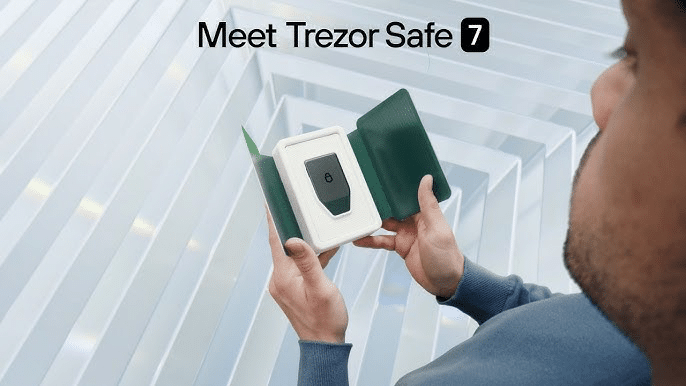
The Safe 7 runs through Trezor Suite, a companion app available on desktop and mobile. Through Suite, you can send, receive, swap, and stake your crypto. The wallet also connects to over 70,000 dApps through WalletConnect and works with third-party wallets like MetaMask, Rabby, and Sparrow.
Security is where the Safe 7 breaks from previous models. Trezor engineered it around two secure element chips. The first is TROPIC01, an entirely new kind of chip with a transparent design that lets anyone verify its security.
The second is an EAL6+ certified chip that acts as a backup layer. One compromised chip won’t bring down the whole system.
What Type of Wallet is Trezor Safe 7?
The Trezor Safe 7 is a non-custodial hardware wallet, also known as a cold wallet or cold storage device.
Non-custodial means you control your private keys. No company holds them for you, and no third party can freeze your funds or block your transactions. So, in theory, if Trezor went out of business tomorrow, your crypto would remain accessible through your recovery phrase.
Hardware wallets store private keys on a physical device that stays offline. This is what makes them different from hot wallets like MetaMask or Trust Wallet, which run on internet-connected phones and computers.
Hot wallets are convenient for frequent trading but vulnerable to malware, phishing, and remote attacks. Hardware wallets eliminate those risks by keeping your keys in isolated, tamper-resistant hardware.
The Safe 7 only goes online when you connect it to a computer or phone to sign transactions. Even then, your private keys never leave the device. The wallet signs transactions internally and sends only the signed result to the network. Your keys stay protected behind the secure element chips at all times.
If you plan to hold crypto long-term or store significant value, hardware wallets offer the strongest protection available. You trade some convenience for significantly stronger security.
Supported Chains & Cryptocurrencies
The Trezor Safe 7 supports over 9,000 coins and tokens. You can manage most major cryptocurrencies directly in Trezor Suite, including Bitcoin, Ethereum, Solana, XRP, Cardano, Litecoin, and Polkadot.
The wallet also handles all ERC-20 tokens on Ethereum, SPL tokens on Solana, and assets on EVM-compatible networks like Polygon, Arbitrum, and Avalanche.
Certain cryptocurrencies require third-party wallet apps instead of Trezor Suite. Monero, Stellar, and Tezos fall into this category. The process is straightforward, though. You connect your Safe 7 to apps like Electrum, Sparrow, or Rabby, and your private keys never leave the device.
Trezor Suite also integrates WalletConnect, which opens access to over 70,000 dApps. You can interact with DeFi protocols like Uniswap and Aave, NFT marketplaces, and other decentralized applications while your keys remain protected on the hardware.
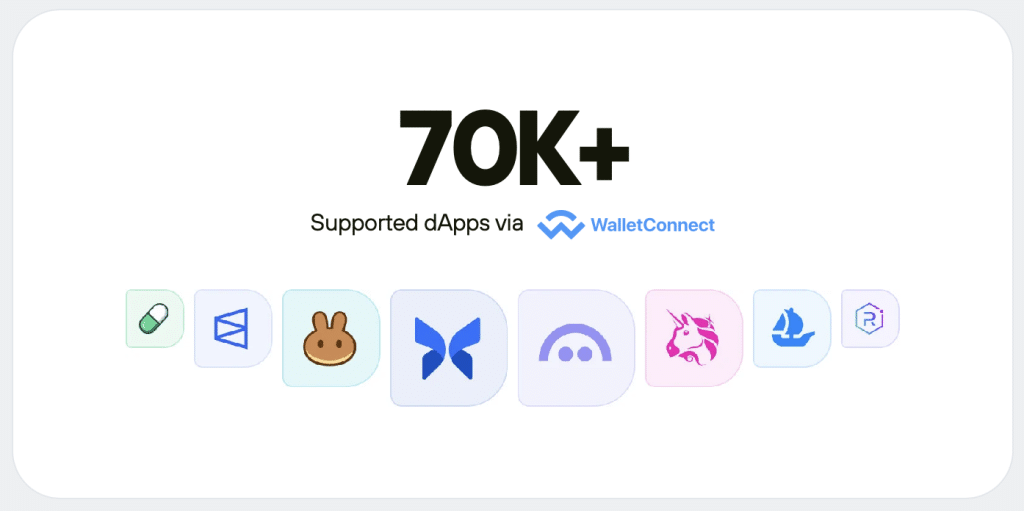
If you want to stake, Trezor Suite supports Ethereum, Solana, and Cardano without any third-party tools.
The one gap worth mentioning is NFT management. Trezor Suite does not display or organize NFTs natively, so you’ll need a third-party wallet for that.
Trezor Safe 7 Features & Tools
The Safe 7 packed a lot of features into its aluminum frame. Here are its most important tools and features that you’ll be able to use:
- TROPIC01 Auditable Secure Element: You don’t have to take Trezor’s word for it when it comes to security. TROPIC01 is the first transparent secure element chip, so anyone can examine exactly how it protects your private keys.
- Dual-Chip Architecture: Two independent secure elements work together inside the device. If one chip gets compromised, the second still blocks unauthorized access to your wallet.
- Quantum-Ready Design: You won’t need to buy a new wallet when quantum computing becomes a real threat. The Safe 7 can receive quantum-resistant firmware updates once blockchains adopt new cryptographic standards.
- Bluetooth with Trezor Host Protocol: You can manage your crypto from your phone or laptop without hunting for cables. THP encryption secures every command, so the connection stays protected even if Bluetooth itself has vulnerabilities.
- Shamir Backup: You can split your recovery phrase into multiple shares and store them in different locations. This removes the single point of failure that comes with keeping one backup in one place.
- Trezor Suite Integration: You can send, receive, swap, and stake directly through the companion app. The suite also includes privacy features like Tor routing and coin control if you want to reduce transaction traceability.
- WalletConnect Support: You get access to over 70,000 dApps directly from your hardware wallet. Your private keys never leave the device, even when you interact with DeFi protocols or NFT marketplaces.
Is Trezor Safe 7 Wallet Safe?
Trezor invented the hardware wallet category back in 2014 and has spent a decade building its reputation. Their firmware and software are fully open-source, so anyone can inspect the code for vulnerabilities. No Trezor device has ever been remotely hacked.
The Safe 7 pushes security further than any previous model with its dual secure element system. TROPIC01 handles PIN protection, device authentication, and random number generation. The second chip, an EAL6+ certified OPTIGA Trust M, manages signing operations.
TROPIC01 is different from chips in other wallets because you can truly verify how it works. Traditional secure elements are black boxes because you trust the manufacturer’s claims and hope for the best.
TROPIC01 opens its architecture to public review, so security researchers can audit the design and publish what they find.
Your private keys never leave the device. When you sign a transaction, the Safe 7 handles everything internally and only sends the signed result to your computer or phone.
You also get PIN protection up to 50 digits, optional passphrase support for hidden wallets, and Tor integration for network privacy. The device doubles as a FIDO2 security key for two-factor authentication on other accounts.
One thing to keep in mind is that physical attacks are still possible with any hardware wallet. Security researchers have demonstrated seed extraction on older Trezor models under laboratory conditions.
The Safe 7 addresses this with dual-chip tamper detection, though determined attackers with physical access and advanced tools could still pose a threat.
Quick Security Checklist
| Security Feature | Trezor Safe 7 |
| Open-source firmware | ✓ |
| Auditable secure element | ✓ |
| Dual-chip architecture | ✓ |
| PIN protection | Up to 50 digits |
| Passphrase support | ✓ |
| Tamper detection | ✓ |
| Quantum-ready | ✓ |
| FIDO2 support | ✓ |
| Tor integration | ✓ |
Trezor Safe 7 Fees
The Safe 7 costs $249 upfront. After that, there are no subscription fees, no monthly charges, and no hidden costs to keep your wallet running.
Trezor does not charge you to send or receive crypto. The only transaction costs you’ll pay are network fees that go directly to blockchain validators. These vary by network. Bitcoin and Ethereum transactions cost more during busy periods, while networks like Solana and Polygon stay cheap regardless of traffic.
If you buy, sell, or swap crypto through Trezor Suite, you’ll encounter fees from the third-party providers that power those services. The exact rates depend on which provider handles your transaction and the payment method you choose.
Here’s the full breakdown:
| Fee Type | Amount |
| Device Price | $249 |
| Subscription | None |
| Sending/Receiving Crypto | Free (network fees apply) |
| Buying Crypto via Suite | Provider fees vary |
| Swapping Crypto via Suite | Provider fees vary |
| Firmware Updates | Free |
| Trezor Suite App | Free |
One more cost to consider is the optional accessories. Trezor sells protective cases, screen protectors, and the Keep Metal backup system separately.
None of these are required, but the Keep Metal in particular is worth considering if you want a fireproof and waterproof backup for your recovery phrase.
Trezor Safe 7 User Experience
The Safe 7 is the first Trezor you can set up entirely without a cable. You pair it with your phone over Bluetooth, download Trezor Suite, and walk through the setup process on both screens. The whole thing takes about 15 minutes if you don’t rush through the backup steps.
The 2.5-inch touchscreen makes a noticeable difference compared to older models. You can read full transaction details without scrolling, and verifying long wallet addresses no longer feels like an eye exam. At 700 nits, the display stays visible even in direct sunlight.
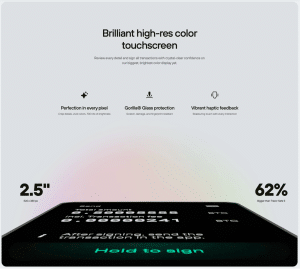
Every tap on the screen gives you haptic feedback. It sounds like a small thing, but the subtle vibration confirms your input and makes the device feel more responsive. You know when you’ve actually pressed something.
Build quality matches what you’d expect at this price. The aluminum body feels solid in your hand, and the Gorilla Glass screen resists scratches well. At 45 grams, the Safe 7 is heavier than plastic competitors, but not heavy enough to be annoying.
Trezor Suite handles the software side. The interface is clean and straightforward. Beginners can send and receive without confusion, while advanced users get access to coin control, custom fees, and Tor routing.
The app works on desktop and mobile, and your wallet syncs across devices automatically.
How to Set Up a Trezor Safe 7
The setup process takes about 15 minutes. You can do it wirelessly with your phone or through a USB-C cable connected to your computer.
- Unbox and power on the device: Hold the button on the side until the Trezor logo appears. Check the security seals on the packaging to make sure everything is intact.
- Download Trezor Suite: Get the app from trezor.io/start or your device’s app store. Avoid third-party download links.
- Connect your Safe 7: Pair over Bluetooth or plug in the USB-C cable. For Bluetooth, a pairing code will appear on both screens for you to confirm.
- Install the firmware: The device ships without firmware for security reasons. Trezor Suite will prompt you to install the latest version. Choose between standard firmware or Bitcoin-only.
- Create a new wallet or recover an existing one: If you’re starting fresh, the device will generate your recovery phrase. If you’re migrating from another wallet, select the recovery option.
- Write down your recovery phrase: The Safe 7 uses a 20-word phrase by default. Write it on the included backup cards and store them somewhere safe. Never take a photo or store it digitally.
- Set your PIN: Choose something strong but memorable. You can use up to 50 digits. The keypad layout randomizes each time to prevent screen observation attacks.
Customer Support
Trezor offers several support channels. The first line of help is Hal, their AI chatbot, which handles common questions and walks you through basic troubleshooting.
For more complex issues, you can submit a support ticket through their website. Response times vary, and some users report waiting up to three days for a reply.
Trezor also maintains a detailed Knowledge Base and an active community forum where you can search for answers or ask questions. Most common problems already have solutions posted.
If you want hands-on help, Trezor offers paid Expert Sessions. For $99, you get a one-on-one video call where a Trezor specialist walks you through setup or answers specific questions about your device.
All Safe 7 units come with a two-year warranty.
Conclusion
The Safe 7 is Trezor’s best hardware wallet to date. The auditable security chip, dual-chip architecture, and wireless features add up to a device that feels built for the long haul.
You’re paying $249, but you’re getting security you can actually verify and hardware that should last for years.
If you’re sitting on a growing portfolio and planning to hold for years, the Safe 7 makes sense. If your holdings are modest and you just need basic protection, Trezor’s cheaper models will get the job done.
FAQs
Is the Trezor Safe 7 worth the price?
What happens if my Trezor Safe 7 breaks or gets lost?
Can I use Trezor Safe 7 with my iPhone?
Does Trezor Safe 7 support NFTs?
Is Bluetooth safe to use on a hardware wallet?
References
- Quantum computing and crypto security (Chainalysis)
- Quantum computing threat to Bitcoin (Fortune)