

Managing self-custodial crypto assets has historically presented a steep trade-off between absolute security and operational simplicity. Traditional hardware and software wallets force users to take on the anxiety of managing 12-to-24-word seed phrases – where a single lost piece of paper or stolen backup means permanent loss of funds. Hashwallet addresses this long-standing industry headache by rethinking the core mechanics of key creation, key management, and wallet recovery.
This review provides a clear, practical examination of Hashwallet’s architecture, security setup, chain compatibility, fee model, and overall user experience to help you decide whether it fits your digital asset storage strategy.
Our Verdict on Hashwallet
Hashwallet offers a distinctive approach to hardware-backed self-custody that removes traditional seed phrases in favor of seedless keys generated inside the card’s chip and hardware-level encryption. For users tired of the anxiety associated with storing paper recovery seeds or managing complex multi-device setups, it introduces a refreshingly resilient model.
By decentralizing key recovery into separate recovery elements and tying transaction approvals to a sleek physical card equipped with an EAL6+ secure element, Hashwallet makes cold storage accessible without sacrificing non-custodial integrity. However, because it diverges from standard BIP-39 seed phrase recovery, it introduces a learning curve for crypto veterans accustomed to legacy seed backup workflows.
Pros
- No Seed Phrase Vulnerability: For seedless users, it eliminates paper seed phrase backups and the associated risks of physical theft, water damage, or human writing errors.
- Key-Splitting Security Architecture: Employs an architecture where full private keys are never stored on a single device, server, or cloud node.
- Hardware-Grade EAL6+ Security: Integrates a physical smart card featuring an EAL6+ certified chip designed to withstand physical tampering and side-channel attacks.
- Non-Custodial Account Control: Retains complete user authority over private funds without handing custody over to central exchanges or third-party intermediaries.
- Multi-Account & Multi-Seed Partitioning: Supports isolation of high-value long-term savings, active DeFi trades, and testing funds across separate seeds.
- Time-Resilient Asset Recovery: Provides a straightforward recovery process that lets you restore wallet access without exposing or broadcasting underlying private keys.
Cons
- Recovery Takes Time: Backup cards are made on demand, so recovering access involves ordering one and waiting for it to arrive.
- No Screen on the Card: Although transactions are protected by security software on the phone, the details cannot be reviewed on the card itself.
What Is Hashwallet?
Hashwallet is a non-custodial crypto storage solution designed to combine the air-gapped isolation of a hardware cold wallet with the ease of use expected from modern mobile applications. Unlike centralized exchanges that hold your private keys on your behalf – or standard hot wallet apps that store vulnerable key files directly in your phone’s internal flash memory – Hashwallet isolates sensitive cryptographic operations inside a dedicated, tamper-resistant smart card equipped with EAL6+ hardware protection.
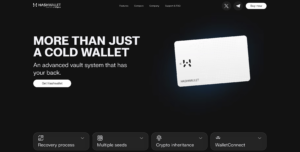
At its core, Hashwallet is built around a simple idea: self-custody should hold up over time, so a lost seed phrase, password, or card doesn’t cost users their funds.
| Feature Category | Hashwallet Implementation Details |
| Custody Type | Non-custodial (user retains sole cryptographic ownership) |
| Hardware Architecture | EAL6+ certified smart card with NFC / secure chip integration |
| Recovery Mechanism | Two separate recovery elements, with no seed phrase to write down |
| Software Interface | Mobile app (iOS & Android) with encrypted local environment |
| Primary Focus | Loss prevention, mistake protection, and secure multi-chain management |
By separating transaction signing (performed locally on the smart card) from transaction broadcast and portfolio monitoring (handled via the mobile app), Hashwallet protects your crypto assets against malware, keyloggers, and remote phishing attacks.
Key Benefits
The hardware wallet market is filled with USB-style dongles, touchscreens, and bluetooth key fobs. Hashwallet differentiates itself by fundamentally changing how cryptographic credentials are built, backed up, and recovered.
Recovery Without Sharing Keys
In traditional self-custody, recovering a lost or damaged wallet usually requires typing your 12 or 24 seed words into a software interface or a new hardware device. This step represents the single most dangerous moment in crypto storage, as keyloggers, clipboard hijackers, or compromise of your backup can strip your account clean in seconds.
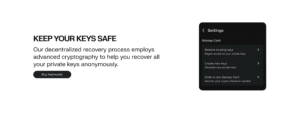
Hashwallet circumvents this risk with a recovery process that doesn’t rely on seed words. When keys are created or imported, the system automatically generates one of the elements needed for recovery, while the other comes with the card.
Crucially, none of these elements contains the private key, and the user doesn’t need to store or manage them. During recovery, these elements are processed together inside the card’s chip. This allows the user to regain full access to their wallet with the original keys, without ever exposing them in plain text on any screen, cloud server, or connected device.
Protection From Common Errors
The vast majority of lost cryptocurrency isn’t stolen by sophisticated nation-state hackers; it is lost due to simple human mistakes. Misplacing a paper backup, making a typo when recording a seed phrase, or accidentally pasting a private key into a malicious web form accounts for billions in lost digital wealth.
Hashwallet builds safeguard rails directly into its software and hardware workflow:
- White-Box Cryptography Mobile Environment: The mobile app executes cryptographic processes within a hardened environment designed to prevent unauthorized memory extraction or app tampering on compromised smartphones.
- Card Lockout Safeguards: If an unauthorized person physically finds or steals your Hashwallet smart card, they cannot access your assets without your app credentials.
- Air-Gapped Approval Prompts: Transactions must be physically confirmed by tapping the smart card against your phone, preventing remote background malware from draining funds without your knowledge.
No Seed Phrase
The core innovation of Hashwallet is its seedless design capability. Standard crypto wallets force users to physically secure 12-to-24 dictionary words. This practice creates a single point of physical failure: anyone who finds those words commands all your funds instantly.
Hashwallet allows you to create completely seedless wallets. Key generation happens entirely within the chip environment during setup. Because no seed phrase ever exists in plain text on a piece of paper, physical theft of a paper backup becomes impossible. For users who already own existing hardware or software wallets, Hashwallet also offers full backward compatibility, allowing you to import existing legacy seed phrases into its secure card chip environment if desired.
Secure Recovery
Because Hashwallet dispenses with traditional written seed phrases, its backup model relies on two recovery elements kept in separate places.
While one recovery element comes with the card, the other is created when keys are generated or imported, and then it’s encrypted inside the card’s chip and stored in the Backup Center. All this happens automatically without the user needing to handle anything.
If the phone is destroyed or lost, the user simply downloads the Hashwallet app onto a new smartphone, logs in with their account credentials, and scans their card. The app restores access to the wallet without the keys ever leaving the chip.
Split Funds Across Unlimited Seeds
A major issue with legacy hardware wallets is their static account structure. Historically, managing multiple distinct seed phrases required either wiping your physical hardware device repeatedly or purchasing separate physical key devices for different portfolios.
Hashwallet solves this operational friction by allowing users to manage multiple seeds and wallet structures using a single physical card.
This multi-seed architecture allows you to logically partition your crypto wealth into separate seeds based on risk profiles and operational use; for example:
- Cold Vault Account: A primary savings bucket where high-value, long-term investments sit completely untouched, isolated from Web3 interactions.
- Active Trading & DeFi Bucket: A secondary operational wallet configured for daily swaps and earning yield.
- Web3 / Testing Wallet: A burner-style sub-wallet dedicated to connecting with new smart contracts, or exploring unfamiliar protocols without exposing your primary savings vault to smart contract vulnerabilities.
Because these separate seeds operate independently under the same physical Hashwallet interface, compromised permissions on a Web3 testing contract don’t affect funds in your cold vault bucket.
Time-Resilient Access
Crypto asset management must account for long-term time horizons. Over years or decades, smartphones are upgraded, hardware accessories wear out, operating systems undergo major updates, and software standards evolve.
Hashwallet addresses long-term viability through its Time-Resilient Access architecture. Traditional paper-seed systems leave wallets vulnerable to physical degradation: ink fades, paper burns, and steel plates can be misplaced during house moves.
Hashwallet mitigates these risks by combining open cryptographic standards with off-chain recovery mechanics, including:
- Lost Card, Not Lost Funds: The card can’t be used on its own to access the funds. If it is lost, the user can order a backup card and recover the original seeds.
- No Password to Forget: Users access their account with their account credentials, email, and phone, so there is no password to remember years later.
What Cryptocurrencies Does Hashwallet Support?
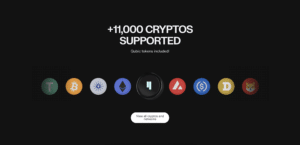
A secure wallet is only useful if it supports the network ecosystems you actively trade and hold. Hashwallet supports multi-chain asset management across major Layer 1 and Layer 2 blockchain networks.
Main Network Compatibility
- Bitcoin (BTC): Full support for native SegWit addresses, giving users optimized transaction throughput and lower network gas fees during transfers.
- Ethereum (ETH) & ERC-20 Tokens: Native EVM compatibility, allowing storage, sending, receiving, and smart contract interaction for thousands of Ethereum-based tokens.
- BNB Chain (BEP-20): Native integration with Binance Smart Chain for low-cost asset swaps and token transfers.
- Solana (SOL) & SPL Tokens: High-speed network support for SPL tokens and Solana ecosystem interaction.
- Layer 2 Networks: Integrated RPC routing for Arbitrum, Optimism, Polygon, and Base, enabling cheap and fast DeFi transactions without leaving the wallet app interface.
- Qubic (QUBIC): Native support for the Qubic network and its tokens.
- Kaspa (KAS): Support for the native KAS coin on the Kaspa network. Tokens on the Kaspa network are not supported.
Staking Capabilities
Hashwallet allows users to earn yield directly from the app, without transferring funds to centralized exchanges. Yield is generated through established DeFi protocols, Aave and YO Protocol, where earnings accrue automatically and funds can be withdrawn at any time, subject to each protocol’s available liquidity. Qubic holders can also earn yield through QEarn, Qubic’s locking program, where rewards are paid out when the lock ends.
Hashwallet Pricing
Understanding the cost structure of a crypto wallet is essential before committing high-value assets. Hashwallet maintains a clean, transparent fee schedule without hidden monthly subscriptions or maintenance charges.
Fee Breakdown Table
| Fee Type | Price / Cost | Notes & Description |
| App Download & Installation | $0.00 (Free) | Available natively on iOS (App Store) and Android (Google Play). |
| Physical Smart Card | €149 | Backup cards can be ordered from the app for €95. |
| Account Creation & Maintenance | $0.00 / Month | No subscription fees, hidden account fees, or recurring upkeep costs. |
| Incoming Crypto Transfers | $0.00 | Hashwallet charges zero deposit or incoming transfer fees. |
| Outgoing Network Transfers | Blockchain gas fee only | Users pay standard blockchain gas directly to network miners/validators. |
| In-App Token Swaps | Small provider fee | Fees are set by the swap provider. Hashwallet doesn’t add any commission. |
| In-App Crypto Purchases | Provider processing fee | Third-party fiat gateway fees (e.g., Banxa) apply depending on payment type. |
| Staking Commission | Set by each protocol | Third-party protocol fees apply depending on the asset. |
Understanding Network Gas vs. Wallet Fees
When sending transactions or interacting with smart contracts inside Hashwallet, it is important to distinguish between wallet-level fees and blockchain network gas fees. Hashwallet doesn’t add any fees to blockchain transactions.
When you make a standard transfer, 100% of the network transaction fee goes directly to the public network’s miners or validators to process your block data. Users can manually customize priority network fees inside the app interface for fast transaction execution during peak network congestion.
User Experience
A security setup is only effective if the daily application experience is intuitive and responsive. Hashwallet blends hardware safety with a clean mobile interface designed for everyday navigation.
App Navigation & Design
The mobile application features a modern, high-contrast dashboard that defaults to a clean balance view. Your total portfolio value is displayed at the top in your local fiat currency, accompanied by clear performance indicators tracking daily asset movement.
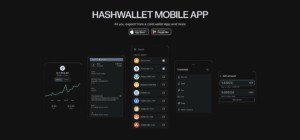
Below the main balance header, quick-action buttons grant immediate access to core functions: Send, Receive, Swap, and Stake. Switching between seeds or navigating between wallets requires just a swipe or a few taps.
Physical Card Approval Workflow
The defining aspect of Hashwallet’s user experience is its NFC smart card interaction. Whenever you initiate an outgoing crypto transfer or sign a smart contract approval, the mobile app prompts you to authenticate:
- Transaction Review: The app displays full transaction metadata on your phone screen – including exact recipient destination address, network gas charges, and asset amounts.
- Card Tap Approval: You tap your physical Hashwallet smart card against the back of your smartphone. The card’s EAL6+ secure element verifies the request via NFC, signs the payload locally, and returns the signed transaction to the app for network broadcast.
This tap-to-sign mechanism feels as fast and seamless as using Apple Pay or Google Pay, while delivering air-gapped cold storage security under the hood.
Getting Started With Hashwallet
Setting up your Hashwallet account takes under ten minutes. Follow this step-by-step procedure to initialize your device securely:
Step 1: Download the Official Mobile Application
Open the official App Store on iOS or Google Play Store on Android and search for Hashwallet. Verify that the developer name matches the official team listed on the manufacturer’s website to avoid downloading fake phishing tools. Install the application onto your phone.
Step 2: Activate Your Card
Open the app, tap “Activate your card” → “Activate card” and enter your email and phone number.
For extra security, it’s recommended to use a dedicated email account from a provider with end-to-end encryption. Not sharing it publicly or keeping it permanently logged in on the phone’s mail apps is also recommended.
Step 3: Scan Your Card and Create Your Keys
With NFC enabled, tap “Scan card” and hold the card on the back of the phone until the scan is complete. The NFC antenna location varies by device.
Then choose how to create your keys: generate seedless keys or import an existing standard seed phrase.
During this step, the second recovery element is created. The first one comes with the card.
Step 4: Create a Wallet
On your seed screen, tap the “+” button, select a token, and confirm with your card.
Step 5: Receive Funds
Open your wallet and tap “Receive” to copy your public address.
Customer Support
Self-custody usually means users are on their own if something goes wrong. Hashwallet provides several support resources to guide users through setup, app navigation, and troubleshooting:
- Help Center & Product Guides: Step-by-step guides at support.gethashwallet.com covering card setup, NFC scanning, backup cards and wallet restoration.
- Support Requests: Users can submit a request through the web form, also accessible from the app’s settings.
- Telegram Community: Hashwallet also has an official Telegram group where users can share questions and experiences. However, as in most crypto communities, scammers might be looking for their next victim. Beware. The team will never send the first private message.
Note: Support will never ask for verification codes or seed phrases. Never share them with anyone claiming to offer support.
How Does Hashwallet Rank in 2026?
Hashwallet represents a substantial step forward for crypto cold storage. By removing the single point of failure inherent in standard paper seed phrases and replacing it with automatic recovery and tap-to-sign smart card hardware, it solves the traditional friction between usability and security.
If you are looking for an air-gapped, multi-chain hardware cold wallet that feels as easy to use as a modern banking app – without handing over control of your private assets to centralized third parties – Hashwallet is an excellent choice.
Ready to secure your crypto with next-generation key protection?
Get started with Hashwallet today to safeguard your digital assets.